What are Antigravity Skills?
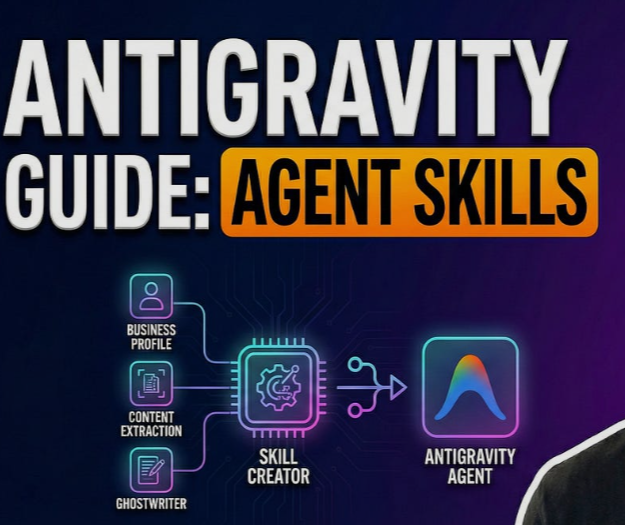
Google Antigravity Skills are modular, file-based capability extensions that allow AI agents to perform specific, on-demand tasks beyond simple text generation. Unlike static system prompts that are always active, a "Skill" is an ephemeral set of instructions and scripts loaded only when the agent determines it is semantically relevant to the user’s request. This architecture optimizes the AI’s context window, prevents "instruction fatigue," and enables the agent to act as a tool user capable of executing Python or Bash scripts, interacting with local files, and connecting to external APIs. In the "Vibe Coding" era of 2026, Skills are the primary mechanism for transforming a generative model into a functional, autonomous developer partner.
1. The Philosophy of Agentic Development: Why Skills Matter
In traditional software development, the programmer is the "doer" and the AI is the "assistant." Google Antigravity flips this paradigm, making the Agent the "doer." To support this, the platform introduces Skills to solve three critical problems:
- Context Optimization: Loading every possible instruction into an LLM's prompt wastes tokens and confuses the model. Skills are "On-Demand," meaning they only enter the conversation when needed.
- Functional Execution: While an LLM can describe how to commit code, an Antigravity Skill can actually execute the git commit command using a specific formatting logic.
- Encapsulation: Skills allow developers to package complex logic (like a database migration or a deployment script) into a single directory that the AI can "learn" and "forget" as required.
2. The Architecture of a Skill: Structure and Scopes
Every Antigravity Skill is contained within its own directory. This self-contained nature makes skills portable—you can share them via GitHub or move them between projects. A skill is defined by two primary scopes:
- Workspace Scope: Located at <project-root>/.agent/skills/ . These are project-specific. For example, a skill that generates boilerplate code for your company’s internal proprietary framework should live here.
- Global Scope: Located at ~/.gemini/antigravity/skills/ . These are universal utilities available across every project on your machine, such as a "JSON Formatter" or a "UUID Generator."
The Mandatory File Structure
A basic skill directory must contain:
- SKILL.md : The brain of the skill. It contains the metadata and the specific instructions for the agent.
- Scripts (Optional) : Python, Bash, or Node.js files that the SKILL.md file instructs the agent to run.
- Resources (Optional) : Templates, documentation, or configuration files the skill might need to read.
3. Deep Dive: Authoring the SKILL.md File
The SKILL.md file is the most important component because it serves as the "trigger" for the AI. If the description is vague, the agent won't know when to use the skill.
- Name & Description: The name must be unique (e.g., postgres-query ), but the description is the real magic. It functions as the semantic trigger phrase. A good description like "Executes read-only SQL queries to retrieve user data for debugging" tells the model exactly when to pull this tool from its belt.
- The Markdown Body: This section provides the "How-To." Goal: A clear statement of the objective.
- Instructions: Step-by-step logic for the AI to follow.
- Examples: Few-shot examples of natural language inputs and the resulting actions.
- Constraints: Critical "Do Not" rules (e.g., "Do not run DELETE or DROP queries" ).
4. Step-by-Step Tutorial: Creating a "Git Commit Formatter" Skill
One of the most popular entry-level skills is a Git formatter that ensures every commit message follows the "Conventional Commits" standard.
- Step 1: Create the Directory. Navigate to your project's .agent/skills/ folder and create a new folder named git-formatter .
- Step 2: Create SKILL.md . Inside that folder, add a file with the following content: Description: "Formating Git commit messages using the Conventional Commits standard (feat, fix, docs, etc.)."
- Instructions: "Analyze the staged changes, determine the primary type, write a concise description in the imperative mood, and propose the commit command."
Step 3: Trigger the Skill. In the Antigravity chat, simply type: "Commit my current changes."
Result: The agent will recognize the intent, load the git-formatter skill, and instead of a generic message, it will offer: feat: add user authentication logic .
5. Advanced Capability: The "License Header Adder" Skill
For corporate environments, ensuring every new file has a legal header is a chore. This skill demonstrates how an agent can read a template and modify files.
- The Resource File: Create a file at resources/HEADER_TEMPLATE.txt containing your legal text.
- The Skill Instruction: In your SKILL.md , instruct the agent to: Read the template from the local resource path.
- Identify the file extension of the target file.
- Prepend the template to the file while adjusting comment syntax (e.g., # for Python, // for Java).
- Usage: You can simply tell the agent: "Add the license header to all new files in the /src directory."
6. Script Integration: Moving from Text to Action
While instructions are great, the real power of Antigravity is Script Execution . You can bundle a Python script within your skill directory.
- Language Agnosticism: Antigravity can execute any script your system can run (Python, Go, Node, Bash).
- Argument Mapping: You must instruct the agent on how to pass flags. For example: "Use the script scripts/deploy.py . Pass the environment name (dev/prod) as the --env flag based on the user's request."
- Safety First: Because scripts can be destructive, it is a best practice to set your Antigravity "Auto-Execute" mode to Auto or Off . This ensures the agent asks for permission before running terminal commands.
7. Best Practices for Developing High-Performance Skills
To ensure your skills are reliable and don't lead to hallucinations, follow these industry standards:
- Atomic Logic: One skill should do one thing perfectly. Don't create a "Swiss Army Knife" skill; instead, create a "Database Reader" skill and a "Database Writer" skill separately.
- Semantic Precision: Use specific verbs in your descriptions like "Generate," "Analyze," "Execute," or "Validate."
- Include Examples: Providing 2-3 "Few-Shot" examples in the SKILL.md significantly improves the model's accuracy.
- Clean Up Context: Since skills are ephemeral, ensure they don't leave "ghost" instructions in the conversation by clearly defining the "End Task" in the instructions.
8. The Future: Community Skills and the Skill Marketplace
We are seeing a shift toward the "Wisdom of the Crowd." Instead of writing every skill from scratch, developers are increasingly pulling skills from GitHub repositories.
- Portable Repos: You can clone a repository of common skills and paste them into your global ~/.gemini/antigravity/skills/ folder to instantly upgrade your agent.
- MCP Integration: Antigravity is increasingly compatible with the Model Context Protocol (MCP), allowing you to bridge "Skills" with "MCP Servers" for even more complex data-fetching capabilities.
Conclusion: Less Infrastructure, More Intelligence
Google Antigravity Skills represent a fundamental shift in how we build software. By moving away from complex microservices and toward lightweight, file-based task definitions , we allow AI agents to navigate our codebases with surgical precision. Whether you are automating a simple Git commit or orchestrating a multi-stage deployment to Cloud Run, mastering Skills is the key to unlocking the true potential of the agentic era. Stop treating your AI as a chatbot—start building the skills that turn it into a world-class engineer.