Critical Warning: Understand the Risks Before You Begin
Clawdbot (now renamed Moltbot after legal pressure from Anthropic) is a locally-running AI agent with extraordinary power—and proportional danger. Unlike passive chatbots, Clawdbot has high-level system permissions allowing it to modify local files, manage emails, execute trades, and perform virtually any computer operation autonomously through messaging apps like Feishu, WhatsApp, or Telegram. While this "ultimate proactive agent" has driven Mac mini sales to unprecedented levels and earned 63,000+ GitHub stars, the security risks are severe: one careless command could result in deleted files, embarrassing social media posts, or drained bank accounts. This comprehensive tutorial will walk you through installation on Windows, Mac, and Linux, plus integration with Feishu for Chinese users—but the most important advice is: never install on your primary computer . Use a spare device, virtual machine, or cloud server. Deploy responsibly, understand what permissions you're granting, and remember: giving AI the keys to your digital life requires the same careful judgment as hiring a household manager.
The Clawdbot Phenomenon and Name Change
From Clawdbot to Moltbot
Original Name : Clawdbot (featuring a chubby lobster mascot 🦞)
Legal Action : Anthropic forced a name change, claiming "Clawdbot" could be misunderstood as an official Claude Code extension product
New Name : Moltbot (same product, different branding)
Community Reaction : Frustration with Anthropic's aggressive legal stance against open-source innovation
The Mac Mini Craze
Clawdbot's explosion created an unexpected hardware shortage:
Sales Impact :
- Mac mini units selling out rapidly
- Users purchasing specifically for Clawdbot deployment
- Even food delivery platforms showing "out of stock" for Mac mini
- Apple likely experiencing Q1 sales boost
Why Mac Mini? :
- Ideal 24/7 operation device
- Low power consumption
- Quiet operation for home deployment
- Sufficient processing power
- Convenient plug-and-play experience
Cost Reality : Mac mini represents $600-800 investment—not necessary but convenient for non-technical users
Understanding Clawdbot's Power and Danger
Official Definition
"A personal AI assistant running on your own device."
Capability Overview
What Makes It Different from Claude Code :
- Claude Code suffers from name confusion (perceived as programming-only)
- Clawdbot explicitly positions as general-purpose agent
- Both have similar underlying capabilities
- Modern internet society built on code enables broad automation
Core Capabilities :
- Modify local files directly
- Execute stock trades
- Process emails automatically
- Control browsers and applications
- Run system commands with high privileges
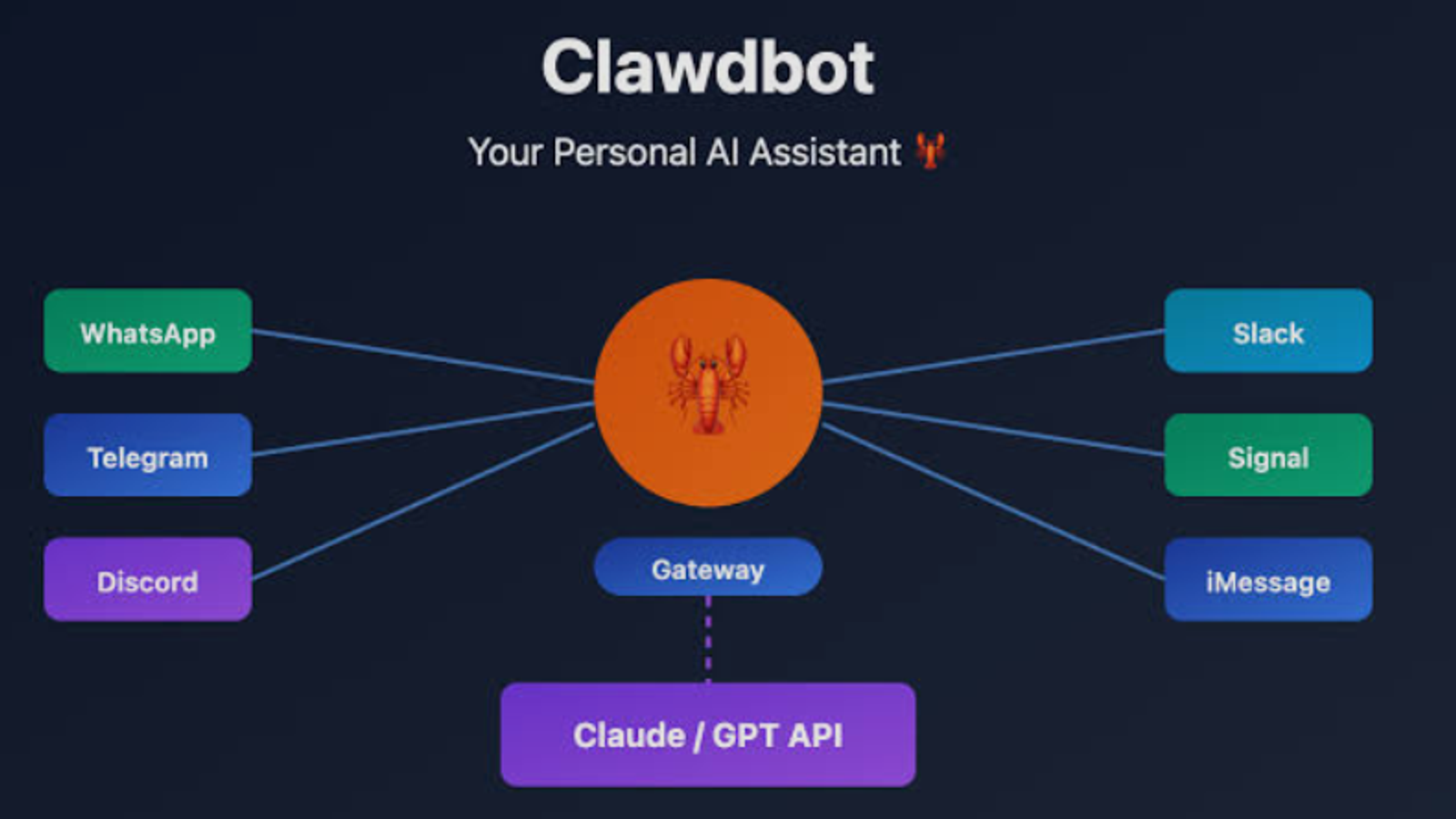
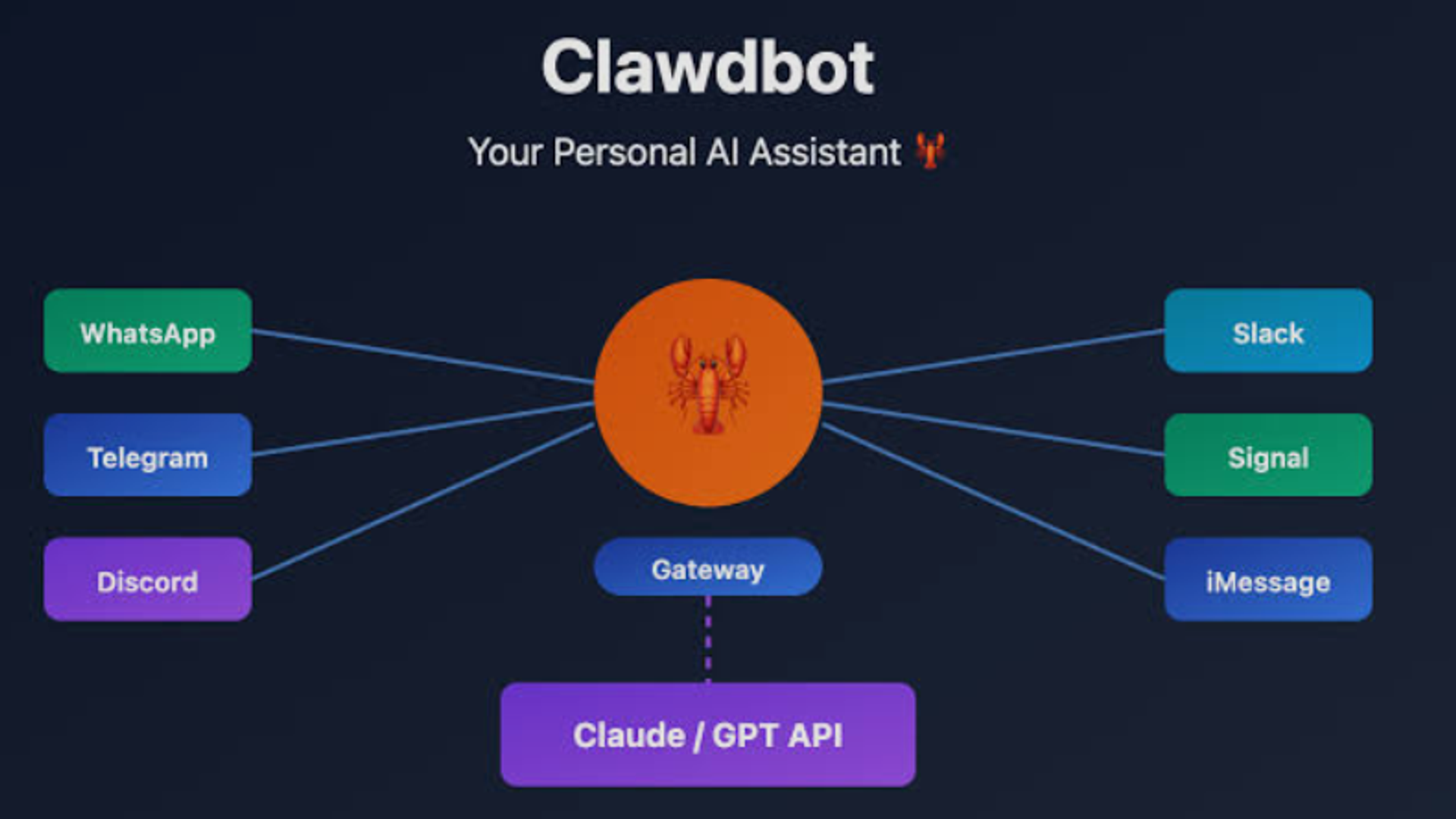
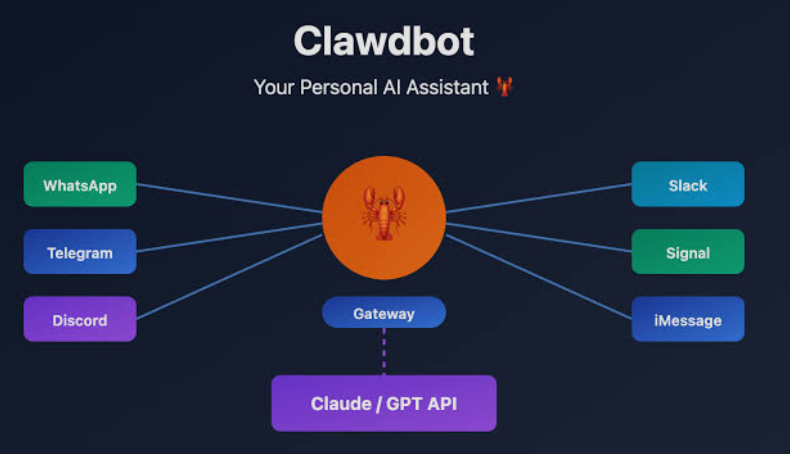
- Access messaging platforms for remote control
The Security Nightmare Scenario
Real Risk Examples :
Accidental Social Media Disaster : Casual remark interpreted as command → embarrassing post shared publicly
File Deletion : Misunderstood instruction → critical documents permanently deleted
Financial Loss : Ambiguous order → unauthorized purchases or transfers
Real-World Case : User reported Clawdbot deleting files unexpectedly due to prompt misinterpretation
Why This Matters : These aren't theoretical risks—they're documented problems from actual users
Two Safe Deployment Approaches
Option 1: Dedicated Hardware
- Purchase spare computer for Clawdbot exclusively
- Use old laptop no longer needed for primary work
- Isolate completely from important data
Option 2: Cloud/Virtual Machine
- Deploy on cloud server (higher technical barrier)
- Use virtual machine for isolation
- Tencent Cloud now offers one-click deployment service
Mac Mini as Simple Solution :
- Most straightforward for non-technical users
- Energy efficient for 24/7 operation
- Complete isolation from primary systems
- Expensive but eliminates configuration complexity
Critical Advice : If you don't care deeply about security or insist on using your primary computer, ANY old computer from years ago can run Clawdbot—no need to "pay Apple tax" unnecessarily
Clawdbot vs. Claude Code: Key Differences
Three Major Distinctions
1. Messaging Platform Integration
Connects to international platforms:
- Telegram
- Discord
Chinese platform integrations (community-developed):
- Feishu (official solution emerging)
- QQ (experimental implementations in progress)
User Experience : Send message from phone → Clawdbot executes on local computer → seamless mobile-to-desktop control
2. Long-Term Memory
Storage Method : Memories saved as files locally
Functionality :
- Similar to ChatGPT's memory feature
- Retrieves relevant context from past conversations
- Cross-session accumulation
- Controllable and transparent
- Easy to understand and modify
Advantage : Memory persistence enables true personalization over time
3. Open Source Flexibility
Customization Freedom :
- Self-deployment on any infrastructure
- Connect to preferred AI models
- Similar to OpenCode's approach
- Supports Skills ecosystem
Model Agnostic : Use Claude, GPT, MiniMax, Qwen, GLM, or any compatible model
The Perfect Storm
Factors Driving Explosive Growth :
- Right timing (post-Claude Code excitement)
- Geographic advantages (fills gaps in Chinese market)
- Community momentum
- Anxiety about AI coding capabilities driving exploration
- Open-source nature enabling rapid iteration
Result : 63,000+ GitHub stars with "insanely steep" growth curve
Complete Installation Guide
Prerequisites
Essential Requirement : Node.js version 22 or higher
Download : https://nodejs.org (LTS version recommended)
Verification : After installation, run node --version to confirm
Installation Commands
Windows :
iwr -useb https://molt.bot/install.ps1 | iex
macOS / Linux / Ubuntu / Debian :
curl -fsSL https://molt.bot/install.sh | bash -s -- --install-method git
Critical Pre-Installation Warning
BEFORE RUNNING INSTALLATION :
⚠️ EXTREME WARNING : This tutorial uses a test laptop at the office. DO NOT install on your primary computer unless absolutely necessary.
⚠️ USE SPARE DEVICE : Always use backup machine for Clawdbot deployment
⚠️ HIGH PERMISSIONS : Clawdbot requires extensive system access
⚠️ POTENTIAL DISASTER : If AI malfunctions and executes rm -rf / command, all your private files and "study materials" will be permanently deleted
⚠️ NO REGRETS : Don't blame me if important files get deleted after ignoring this warning
Installation Process Walkthrough
Step 1: Acknowledge Risks
After installation command completes, you'll see this prompt:
"I understand this powerful lobster has great capabilities but extreme risks. Do you confirm and continue?"
Options :
- YES : Proceed with installation
- NO : Process terminates immediately (quite dictatorial!)
Only selecting YES allows you to continue—this mandatory acknowledgment forces risk awareness.
Step 2: Choose Setup Mode
Two options appear:
Option 1 - QuickStart :
- Fast initial setup
- Configure details later via clawdbot configure
- Recommended for most users
Option 2 - Manual :
- Configure everything during installation
- More control over initial settings
- Better for experienced users
Recommendation : Choose QuickStart for simplicity
Step 3: Model Configuration
System prompts for AI model selection.
Available Options :
- Claude (via Anthropic API)
- GPT (via OpenAI API)
- MiniMax
- Qwen
- Zhipu (GLM)
- Many others
Author's Choice : Codex OAuth
Reasoning :
- ChatGPT Pro membership holder
- Codex preferred for coding tasks
- Extremely high quota allocation
- OpenAI explicitly supports this usage
- Minimal risk compared to alternatives
CRITICAL: Claude Max Authorization Warning
⚠️ DO NOT use Claude Max credits for Clawdbot authorization
Why This Is Dangerous :
- Anthropic now restricts Max credits to Claude Code exclusively
- Using Clawdbot with Max credits may result in immediate account ban
- Multiple documented cases on X (Twitter) of account suspensions
- Anthropic taking aggressive enforcement action
Safe Alternatives :
- Claude API (separate billing)
- OpenAI models
- Chinese domestic models (MiniMax, Qwen, GLM)
Token Consumption Warning
Critical Issue : Clawdbot's context management is "incredibly poor"
Real-World Example :
- Team member testing with GLM-4.7
- Two days of testing
- Result: 30 million tokens consumed
Cost Implications :
- With Claude API pricing: potentially need to "sell your house" to afford 24/7 operation
- Single web scraping task (crawling dozen X articles): 1 million tokens consumed
Recommendation : Use cost-effective models or carefully monitor usage to avoid financial shock
Step 4: Channel Configuration
System asks which messaging platform to use:
Available Options :
- All international platforms listed
- Most Chinese users don't use these regularly
Recommendation : Select "Skip" (last option)
Reasoning : Tutorial will cover Feishu integration separately—more relevant for Chinese users
Step 5: Skills Installation
System asks about installing default skills:
Recommendation : Select "Yes" automatically
What Are Skills : Pre-built capabilities enabling specific tasks (document processing, data analysis, etc.)
Optional : Review each skill description and select individually, or skip entirely—skills can be added later through conversation
Step 6: Package Manager Selection
Choose installation method:
Common Options :
- npm (recommended—automatically available with Node.js)
- yarn
- pnpm
Author's Preference : npm for simplicity and universal availability
Step 7: Skills Marketplace
System presents available skills with descriptions:
Two Approaches :
Selective Installation : Review each skill and install relevant ones
Skip All : Proceed without skills—install later as needed through conversation with Clawdbot
Flexibility : Skills can be added/removed anytime, so initial choice isn't permanent
Step 8: Hooks Configuration
System asks about three plugins:
boot-md :
- Function : Automatically loads markdown text at startup
- Use Case : Inject rules, preferences, project background into every session
- Recommendation : Enable for consistent behavior
command-logger :
- Function : Logs executed commands and key operations
- Use Case : Problem diagnosis and session review
- Privacy Note : Disable if concerned about leaving traces
- Recommendation : Enable for troubleshooting capability
session-memory :
- Function : Saves conversation state and memory
- Use Case : Enables context continuity across sessions
- Recommendation : Enable for better experience
Author's Recommendation : Enable all three—all provide valuable functionality
Step 9: Installation Complete
Success Message : Installation finished successfully!
Startup Command :
clawdbot gateway --verbose
Default Port : 18789
Access URL : http://127.0.0.1:18789/chat
Result : Friendly lobster interface appears, ready for interaction
Feishu (Lark) Integration Tutorial
Why Feishu Integration Matters
Universal Desire : Everyone wants mobile/alternative chat app access—Clawdbot's greatest appeal
Chinese Market Solution : Feishu (Lark) currently easiest platform for Chinese users
Perfect Match : Feishu's bot capabilities align perfectly with Clawdbot's architecture
Community Plugin
GitHub Repository : https://github.com/m1heng/Clawdbot-feishu
Developer : @m1heng created Feishu connector for Clawdbot
The Manual Configuration Nightmare
Author's Experience :
- Followed GitHub instructions step-by-step
- Spent 1-2 hours debugging
- Constant errors and installation failures
- Frustration mounting
The Epiphany : "Wait, I'm an idiot. I have Clawdbot installed—it's supposed to be powerful. Why am I manually debugging? Let IT install itself!"
The Self-Installation Miracle
Simple Command in WebUI :
Install the Clawdbot plugin: clawdbot plugins install @m1heng-clawd/feishu
Result : Clawdbot successfully installed the plugin FOR ITSELF
Reaction : "What was that 1-2 hours of debugging even for??"
Lesson : Use the tool's capabilities instead of manual configuration when possible
Feishu Platform Configuration
Step 1 : Visit Feishu Open Platform (open.feishu.cn)
Step 2 : Create new application
Step 3 : Record App ID and App Secret (critical for next steps)
The Magic Integration
Most Impressive Part : Send your App ID and App Secret directly in Clawdbot chat
What Happens : Clawdbot reads credentials and automatically completes remaining configuration
Experience : "Absolutely explosive satisfaction"
Feishu Platform Settings
Add Bot to Groups : Invite bot to desired Feishu groups
Enable Necessary Permissions (as specified in GitHub documentation):
- Message reading
- Message sending
- Group membership
- Event subscriptions
- Bot callbacks
Configure URLs and Endpoints (provided by Clawdbot after setup):
- Event subscription URL
- Card callback URL
- Message encryption settings
Final Steps
Publish Application : Submit for review and publishing in Feishu
Result : Chat with Clawdbot directly in Feishu!
Practical Testing: Invoice Processing Example
Real-World Scenario
Company Requirement : Expense reimbursement requires filling invoice data into Excel template
Traditional Approach : Manually entering each invoice line by line—tedious and time-consuming
Clawdbot Approach : Simple Feishu command initiates automatic processing
Execution Flow
User Action : Send instruction via Feishu
Clawdbot Operations :
- Opens local files
- Reads invoice content
- Automatically fills Excel template
- Saves completed document
Speed : Completed "in the blink of an eye"
Quality : "A bit rough, but has that flavor"
Remote Control Capability
Setup : Test computer left running continuously at office
Evening Use : Control from home using Feishu on phone
Experience : "Quite fun" to remotely command office computer
The Philosophical Dilemma
Why Clawdbot Exploded
"Clawdbot's explosion reflects people's extreme desire for AI to actually get work done."
Current Attitude : Author feels conflicted about recommendation
The Security Balance Sheet
Capability : Can help complete tasks efficiently
Risk : May modify or delete things during inattention
Detection : You might not even notice until much later
Emotional Response : When discovery happens, "blood rushes to your head" with intense frustration
The Cautious Recommendation
Warning : Definitely proceed cautiously
Curiosity : Exploration of unknown territory is genuinely interesting
Target Audience : Those with curiosity about new technology and spare computer for experimentation
Value Proposition : Ultimate proactive local agent experience will "refresh your imagination boundaries about AI"
The Future Vision
Current Perception : May seem "a bit offensive"
Future Reality : Isn't this what we envision for ideal agents?
Core Difference : Only accuracy and error tolerance rates separate current from ideal
The Magic Moment : Lying in bed, remembering something, opening Feishu/QQ (potentially WeChat in future), sending message—then Clawdbot diligently works on your behalf
Experience : "Really addictive and quite magical"
The Key Management Metaphor
Before Handing Over Keys
Critical Question : Which doors should these keys open?
Household Staff Analogy :
Common Spaces (Kitchen, Living Room, Closet):
- Probably comfortable granting access
- Low risk for these areas
Private Spaces (Bedroom, Personal Office):
- Would you confidently give keys to household help?
- Uncertain at best
AI Usage Parallel
Clawdbot Reality : Genuinely interesting and addictive
Essential Requirement : Must think clearly about what access to grant
Core Consideration : This reveals your actual management and delegation abilities
The Universal Principle
After Careful Thought : Maintain eternal curiosity about the world
Balance : Responsible deployment with adventurous exploration
Conclusion: Deploy Responsibly, Explore Fearlessly
Final Assessment
Clawdbot represents a significant milestone in AI evolution—from passive tools to active assistants. The explosive growth and passionate community engagement demonstrate genuine desire for AI that executes rather than merely advises.
Three-Point Action Plan
1. Understand Risks Completely :
- High system permissions enable powerful capabilities
- Same permissions create severe vulnerability
- One mistake could have lasting consequences
2. Deploy Safely :
- Use spare device, never primary computer
- Consider virtual machine or cloud deployment
- Start with limited permissions, expand gradually
3. Explore Thoughtfully :
- Test thoroughly before critical applications
- Monitor behavior and token consumption
- Maintain human oversight of important operations
The Bigger Picture
Clawdbot foreshadows a future where AI assistants proactively manage tasks, remember context across sessions, and integrate seamlessly into daily workflows. Current limitations in accuracy and error handling will improve, but the fundamental paradigm shift has begun.
Who Should Try Clawdbot?
Ideal Candidates :
- Technology enthusiasts with spare hardware
- Developers wanting to experiment with agentic AI
- Early adopters comfortable with bleeding-edge tools
- Organizations with proper security infrastructure
Who Should Wait :
- Those relying on primary computer for critical work
- Users without technical support resources
- Anyone uncomfortable with high permission requirements
- Situations requiring guaranteed reliability
The Permission Philosophy
Think of Clawdbot like hiring a household manager:
Grant Access To :
- Non-sensitive routine tasks
- Automatable repetitive work
- Well-defined workflows with clear boundaries
Restrict Access From :
- Personal documents and private files
- Financial accounts and credentials
- Irreplaceable data without backups
- Mission-critical systems
Final Words
If you've read this far and found value, please:
- Like and share this article
- Star the project for updates
- Deploy responsibly with full awareness
- Maintain curiosity about AI's future
Remember : The most advanced AI assistant is only as safe and effective as the human judgment guiding it.