

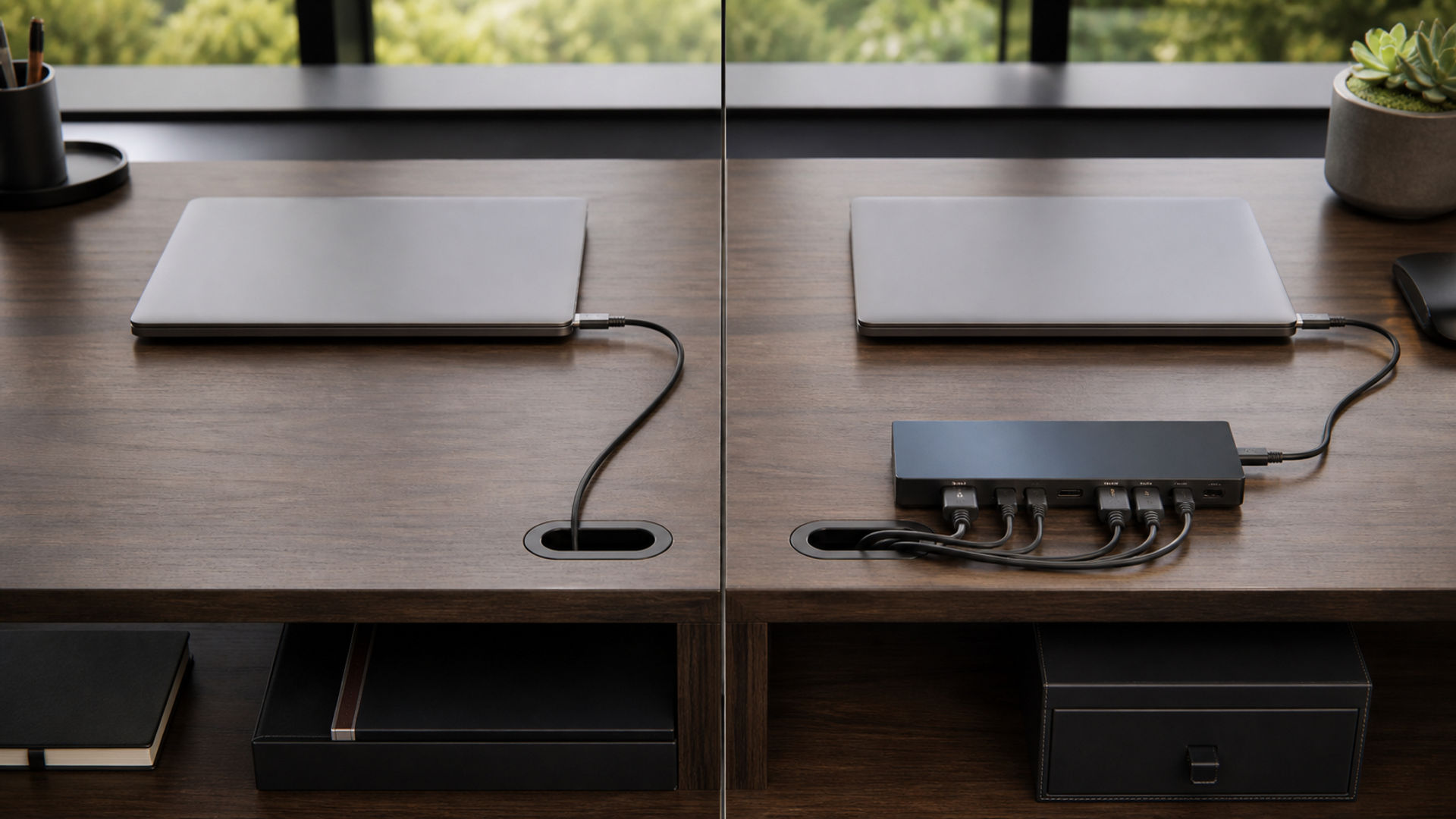
USB-C describes a reversible connector system; it does not promise one data speed, display mode or charging level. Thunderbolt is a certified high-speed interface that also uses the USB-C connector on current generations. Two identical-looking ports can therefore support very different capabilities, and a capable host can still fall back when the cable, dock, display or peripheral supports less. The buying task is to verify the complete path instead of shopping by plug shape.
Connector shape is not capability
Choose a straightforward USB-C setup when the verified host, cable and device support the charging, display and data functions required. Choose Thunderbolt when high-bandwidth storage, multiple displays, PCIe-class peripherals or a certified dock workflow justifies it. Build a verified mixed setup when ordinary USB-C devices and selected Thunderbolt equipment can coexist without assuming every port does everything.
| Decision factor | USB-C connection | Thunderbolt connection | Build a verified mixed setup |
|---|---|---|---|
| Connector | Uses the reversible USB Type-C shape | Uses USB-C on current implementations | Shape alone proves nothing |
| Data | Capability varies by USB generation | Certified bandwidth depends on generation | Check every component |
| Display | Alternate modes vary by host and device | Display support is part of certification by version | Verify resolution, refresh and count |
| Power | USB Power Delivery can negotiate charging | Can carry power but limits still apply | Check charger, cable and host |
| Docking | Simple docks can meet office needs | High-end docks can consolidate demanding devices | Test sleep, wake and hot plug |
| Fallback | Lowest supported mode often governs | Backward compatibility can reduce capability | Label known-good cables |
This usb c vs thunderbolt matrix is the article's working value object. Read the usb c vs thunderbolt rows together: the decisive failure mode depends on this topic's evidence, operating context and reader objective.
Host, cable and device negotiate the result
Evidence 1. USB-IF publishes the USB Type-C cable and connector specification separately from the data-rate and power features that may use the connector.
Evidence 2. USB Power Delivery is a negotiated power system; connector presence alone does not establish the wattage available to a device.
Evidence 3. Intel describes Thunderbolt as a certified high-speed connection that can combine data, video and power over a USB-C connector.
Evidence 4. End-to-end capability is limited by the host port, cable, dock or device with the lowest relevant support.
Reader-visible sources checked for this article:
usb.org — reader-visible current or official evidence
usb.org — reader-visible current or official evidence
intel.com — reader-visible current or official evidence
For usb c vs thunderbolt, these sources establish only the claims inside their documented scope. Recheck every changeable specification, availability condition, price, policy or service term in the relevant market before acting.
Test the complete dock path
On connector, popularity is not enough. The evidence for option one is that uses the reversible USB Type-C shape. Option two means uses USB-C on current implementations. Option three is rational where shape alone proves nothing. Recheck any changeable term immediately before commitment.
The decision changes at data. Choose the first path only if capability varies by USB generation; move to the second when certified bandwidth depends on generation; use the third when check every component. Save the downside that would make this row fail.
For display, the first route works when alternate modes vary by host and device; the second requires display support is part of certification by version. The control for the third is verify resolution, refresh and count. Verify this row against the exact product, property, account or environment before it can reverse the decision.
The power row exposes a practical boundary. Route one assumes uSB Power Delivery can negotiate charging, while route two is defensible only when can carry power but limits still apply. Route three depends on check charger, cable and host. If that evidence is absent, keep the more reversible option.
Read docking as a stop/go test: simple docks can meet office needs supports the first option; high-end docks can consolidate demanding devices supports the second; and test sleep, wake and hot plug supports the third. Record which source proves the condition and when it was checked.
A buyer can resolve fallback without starting from a brand preference. Ask whether lowest supported mode often governs; compare that with whether backward compatibility can reduce capability; then use label known-good cables as the third route's safeguard. An unknown condition stays unknown.
Facts that would reverse the current choice
Reversal control 1 — Connector. Before choosing USB-C connection, write down how the decision changes if “Uses the reversible USB Type-C shape” proves false. Do the same for Thunderbolt connection and “Uses USB-C on current implementations”. Keep the Build a verified mixed setup route available until “Shape alone proves nothing” is verified. This control belongs to usb c vs thunderbolt; update it from the cited source or exact supplier rather than copying a generic checklist.
Reversal control 2 — Data. Before choosing USB-C connection, write down how the decision changes if “Capability varies by USB generation” proves false. Do the same for Thunderbolt connection and “Certified bandwidth depends on generation”. Keep the Build a verified mixed setup route available until “Check every component” is verified. This control belongs to usb c vs thunderbolt; update it from the cited source or exact supplier rather than copying a generic checklist.
Reversal control 3 — Display. Before choosing USB-C connection, write down how the decision changes if “Alternate modes vary by host and device” proves false. Do the same for Thunderbolt connection and “Display support is part of certification by version”. Keep the Build a verified mixed setup route available until “Verify resolution, refresh and count” is verified. This control belongs to usb c vs thunderbolt; update it from the cited source or exact supplier rather than copying a generic checklist.
Reversal control 4 — Power. Before choosing USB-C connection, write down how the decision changes if “USB Power Delivery can negotiate charging” proves false. Do the same for Thunderbolt connection and “Can carry power but limits still apply”. Keep the Build a verified mixed setup route available until “Check charger, cable and host” is verified. This control belongs to usb c vs thunderbolt; update it from the cited source or exact supplier rather than copying a generic checklist.
Reversal control 5 — Docking. Before choosing USB-C connection, write down how the decision changes if “Simple docks can meet office needs” proves false. Do the same for Thunderbolt connection and “High-end docks can consolidate demanding devices”. Keep the Build a verified mixed setup route available until “Test sleep, wake and hot plug” is verified. This control belongs to usb c vs thunderbolt; update it from the cited source or exact supplier rather than copying a generic checklist.
Reversal control 6 — Fallback. Before choosing USB-C connection, write down how the decision changes if “Lowest supported mode often governs” proves false. Do the same for Thunderbolt connection and “Backward compatibility can reduce capability”. Keep the Build a verified mixed setup route available until “Label known-good cables” is verified. This control belongs to usb c vs thunderbolt; update it from the cited source or exact supplier rather than copying a generic checklist.
Inventory every endpoint
List computer ports, monitors, storage, network adapter, camera, charger and dock. Record required resolution, refresh, transfer speed and charging power for each path. In this USB-C versus Thunderbolt comparison, preserve the exact item, setting, date and test condition in the evidence log. Keep measured results separate from category shorthand and repeat the check in the intended environment. If a device needs no high-bandwidth feature, do not pay for unused capability. When that reversal condition appears, reopen the choice instead of defending the original preference.
Read symbols and specifications
Match port markings and official technical sheets to the exact model and year. Avoid transferring a capability from a product family to a specific configuration. In this USB-C versus Thunderbolt comparison, preserve the exact item, setting, date and test condition in the evidence log. Keep measured results separate from category shorthand and repeat the check in the intended environment. If the exact port is undocumented, treat the feature as unavailable until tested. When that reversal condition appears, reopen the choice instead of defending the original preference.
Qualify the cable
Record cable length, certification, data rating and power rating. Use one known-good cable at a time and label it after a successful test. In this USB-C versus Thunderbolt comparison, preserve the exact item, setting, date and test condition in the evidence log. Keep measured results separate from category shorthand and repeat the check in the intended environment. If changing the cable fixes the fault, reverse any conclusion about the dock or host. When that reversal condition appears, reopen the choice instead of defending the original preference.
Stress the dock
Connect the normal displays, storage, network and charger, then test restart, sleep, wake and hot plugging. Copy a large file while displays and network are active and monitor thermal behaviour. In this USB-C versus Thunderbolt comparison, preserve the exact item, setting, date and test condition in the evidence log. Keep measured results separate from category shorthand and repeat the check in the intended environment. If the setup disconnects under combined load, simplify or choose a certified higher-capability path. When that reversal condition appears, reopen the choice instead of defending the original preference.
Plan fallback and travel
Keep a direct charger, display adapter or compact hub for essential functions. Document which ports work when the primary dock fails. In this USB-C versus Thunderbolt comparison, preserve the exact item, setting, date and test condition in the evidence log. Keep measured results separate from category shorthand and repeat the check in the intended environment. If one dock is a single point of failure, add a reversible backup before relying on it. When that reversal condition appears, reopen the choice instead of defending the original preference.
Four desk setups, four answers
One laptop and one office monitor
A verified USB-C cable with display and charging may be sufficient. Define the fact that would reverse this recommendation before committing.
Fast external storage and multiple displays
Thunderbolt can justify its certification and bandwidth. Define the fact that would reverse this recommendation before committing.
Mixed fleet of laptops
A dock matrix should record the feature level each machine actually negotiates. Define the fact that would reverse this recommendation before committing.
Frequent travel
A smaller USB-C hub and separate charger may be more resilient than a full dock. Define the fact that would reverse this recommendation before committing.
Action checklist
Identify the exact host.
Map every port.
List display needs.
List data needs.
List charging needs.
Verify cable rating.
Verify dock certification.
Test combined load.
Test sleep and wake.
Label cables.
Keep a fallback adapter.
Record the lowest-capability link.
Continue the decision
The linked VERTU articles expand adjacent parts of the usb c vs thunderbolt decision. They do not substitute for the external evidence above.
The USB-C-versus-Thunderbolt verdict
Choose a straightforward USB-C setup when the verified host, cable and device support the charging, display and data functions required. Choose Thunderbolt when high-bandwidth storage, multiple displays, PCIe-class peripherals or a certified dock workflow justifies it. Build a verified mixed setup when ordinary USB-C devices and selected Thunderbolt equipment can coexist without assuming every port does everything.
Keep the usb c vs thunderbolt decision reversible until its material cost, safety, access, privacy and compatibility facts are verified. Unknown evidence stays unknown; it is never silently scored as favourable.



