| App Name | Platform(s) |
|---|---|
| YouCam Enhance | iOS, Android |
| Remini | iOS, Android |
| Pixelup | iOS, Android |
| Filterly | iOS, Android |
| Lensa | iOS, Android |
| Adobe Photoshop Express | iOS, Android, Windows |
| Luminar AI | Windows |
| Canva | iOS, Android, Windows |
| Pixlr | iOS, Android, Windows |
| Fotor | iOS, Android, Windows |
| Facetune | iOS, Android |
| UpFoto | iOS, Android |
Looking for the best ai photo enhancer app in 2025? Here are the top 12 choices for iOS, Android, and Windows . These apps were picked for their ai photo enhancement quality, platform support, user ratings, and special features:
You can find both free and paid ai photo enhancers here. Most people now like using mobile apps for fast photo changes. That is why there are many mobile options and some good Windows choices. This list helps you compare and choose the best ai photo enhancer app for you.
Key Takeaways
- Many AI photo enhancer apps work on iOS, Android, and Windows. These apps give choices to everyone. Look for apps with good AI enhancement quality. They help make photos clear, sharp, and natural. Pick apps that are easy to use. Simple controls and fast editing tools are helpful. Think about what you need the app for. You might use it every day, for work, or for social media. Try free versions first. This helps you find the app that matches your style before you pay for more features.
Selection Guide
Key Features
It can be hard to pick the right ai photo enhancer app. There are so many choices. You want your photos to look clear, bright, and real. Here are some things to think about when you choose an ai image enhancer:
- AI Enhancement Quality : The best ai photo enhancers make your pictures better. They help remove noise and fix blurry spots. They keep small details sharp. Some apps use ai tools to fix light, smooth skin, or make faces clearer. These changes should not look fake.
- Ease of Use : You do not need to be an expert to use these apps. Many ai image enhancers have easy buttons or sliders. This makes editing fast and simple. Even beginners can use ai image editing.
- Platform Compatibility : Think about where you want to edit your photos. Some ai photo enhancer apps work on iOS and Android. Others are for Windows. Many apps let you use both your phone and computer. You can switch between devices.
- User Feedback : See what other people say about the app. Apps with good ratings often have better ai features. Reviews can tell you if the app is slow or makes photos look strange.
- Customization and Special Features : Some ai image enhancers let you change colors or remove backgrounds. You can also make images bigger. Look for ai tools that fit your style. You might want to fix portraits, restore old photos, or make posts for social media.
- Pricing and Access : Free ai photo enhancer apps give you basic ai features. But you might see watermarks or lower quality. Paid apps give you more ai features and better image quality. If you edit photos a lot, paying for an app may be a good idea.
Tip: Try some free ai image enhancers first. You can get a paid version later if you want more ai features or better photo quality.
Here is a table to help you compare what is important:
| Feature | Why It Matters |
|---|---|
| AI Enhancement Quality | Photos look clear, sharp, and real |
| Ease of Use | Editing is fast and simple |
| Platform Compatibility | Edit on the device you like |
| User Feedback | Learn from what others say |
| Customization | Change your photos how you want |
| Pricing | Free or paid ai features |
There are many ai image enhancers and photo editing apps. You can find one that fits your style and how you work. If you want quick changes or more advanced ai image editing, there is an app for you.
Comparison Table
It can be hard to pick the right app. A good table helps you compare them. You can check which ai image enhancers work on your device. You can also see what ai features each one has. The table shows how much each app costs. You can find out which app is best for your favorite edits. Some apps are great for fixing portraits. Others help bring old photos back to life. Some make landscapes look better.
Here is a table you can use to compare the top ai image enhancers for 2025:
| App Name | Platform(s) | Key AI Features | Pricing Model | Best Use Case |
|---|---|---|---|---|
| YouCam Enhance | iOS, Android | Face retouch, background blur, auto enhancement | Free, premium subscription | Portraits, selfies |
| Remini | iOS, Android | Photo restoration, unblur, upscaling, denoising | Free, in-app purchases, subscription | Old photo restoration , portraits |
| Pixelup | iOS, Android | AI upscaling, colorization, face enhancement | Free, premium subscription | Restoring and enlarging images |
| Filterly | iOS, Android | AI filters, auto color, background changer | Free, premium subscription | Creative edits, social media |
| Lensa | iOS, Android | Portrait enhancement, skin smoothing, AI avatars | Free, subscription from $7.99/mo | Selfies, artistic portraits |
| Adobe Photoshop Express | iOS, Android, Windows | Auto-fix, AI filters, background removal | Free, premium subscription | General image enhancement |
| Luminar AI | Windows | Sky AI, Face AI, batch processing, plugin support | Free trial, subscription/lifetime | Pro editing, landscapes |
| Canva | iOS, Android, Windows | AI background remover, magic resize, filters | Free, Pro from $12.99/mo | Social media, marketing |
| Pixlr | iOS, Android, Windows | AI cutout, auto enhance, filters | Free, premium subscription | Quick edits, collages |
| Fotor | iOS, Android, Windows | Retouch, collage maker, AI filters | Free, Pro from $3.33/mo | Everyday image enhancement |
| Facetune | iOS, Android | AI retouch, skin smoothing, face reshaping | Free, in-app purchases, subscription | Selfies, portraits |
| UpFoto | iOS, Android | AI upscaling, old photo restoration, colorization | Free, premium subscription | Restoring old photos |
Tip: Use this table to find the best app for you. Canva and Filterly are good for quick edits for social media. Remini and UpFoto are best for fixing old photos. If you want more control, try Luminar AI or Adobe Photoshop Express.
Each app has something special it can do. Some are best for portraits. Others are good at fixing old photos or editing many pictures at once. Many ai image enhancers now have smart tools. These tools can remove backgrounds, make photos bigger, or add cool filters. Prices are different, so you can try free apps first. You can pay for more features if you need them.
Best AI Photo Enhancer Apps
YouCam Enhance
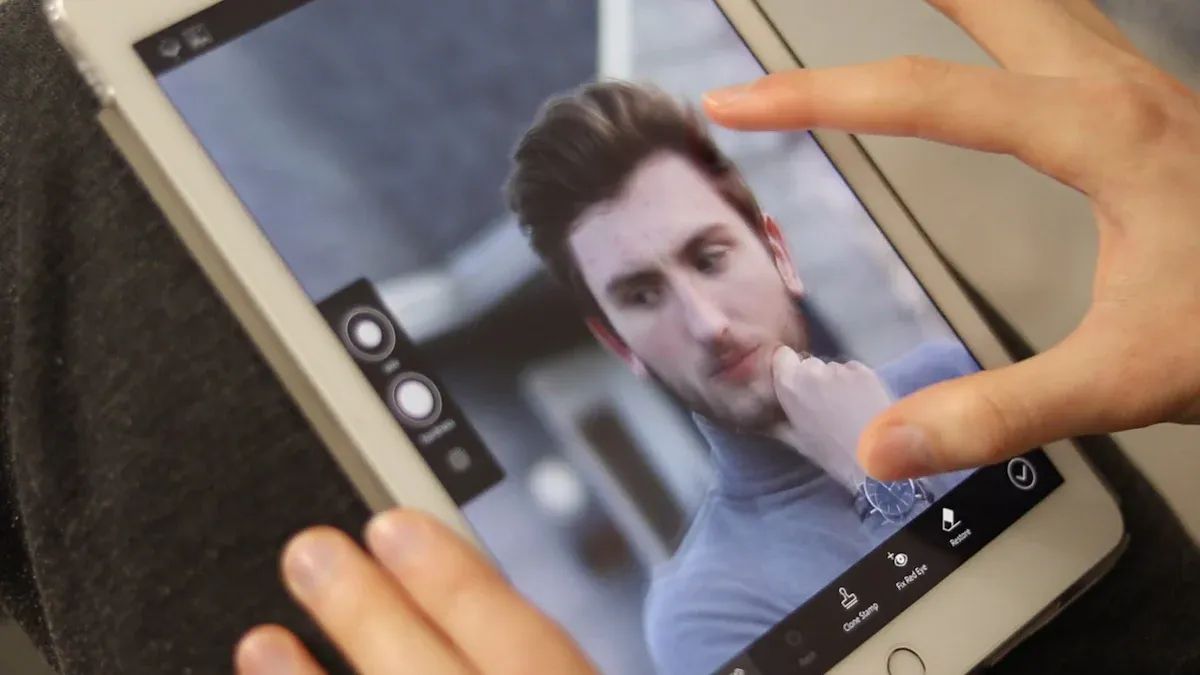
YouCam Enhance is a good app for making photos better. You can use it on iOS and Android. It has one-tap tools to sharpen, fix blur, and remove noise . You can also make photos bigger and fix videos. The app lets you create AI avatars. If you have many photos, you can edit up to 50 at once with batch processing.
Here’s a table that shows how YouCam Enhance compares to other apps :
| App Name | Pricing Model | Key Features |
|---|---|---|
| YouCam Enhance | Free trial; $4.99/week | One-tap sharpening, unblurring, denoising, upscaling; video restoration; AI avatars; batch processing (up to 50 images) |
YouCam Enhance works best for selfies and portraits. Some features are not available in every version. It may not work as well on other types of photos. The weekly price is lower than some monthly plans. You can try it without spending a lot.
Tip: If you want to fix photos fast and like editing portraits, YouCam Enhance is a smart choice.
Remini
Remini is a top pick for fixing old or blurry photos . You can use it on iOS and Android. Remini uses smart tools to sharpen faces and remove noise. It can make low-quality photos look better. Many people say it is easy to use. You just tap a button and the app does the work .
- You can make old photos look new again.
- The app works quickly and gives real-looking results.
- The free version lets you try the tools, but you need to pay for more.
- Some people say the app can make photos look strange, and you need internet.
Remini is great for fixing photo problems or saving old memories. You do not need to know much about editing to get good results.
Pixelup
Pixelup is a good app for fixing or coloring old photos. It works on iOS and Android. The app uses smart tools to make photos sharper and add color. You can even add small animations to your pictures.
Here is a table that shows what people like and dislike :
| Pros | Cons |
|---|---|
| Great at fixing old or blurry portraits and adding color | No video enhancement tools |
| Easy to use and works fast | You must pay to save better images |
| Lets you share photos and videos online | Some people see too many pop-ups and face changes |
| Very good at restoring photos and adding effects | The subscription costs a lot |
Pixelup is best for fixing old photos or adding fun effects. The app is simple, but you need to pay to save high-quality pictures.
Filterly
Filterly is a creative app for iOS and Android. You get smart filters, color fixes, and a tool to change backgrounds. The app helps your photos look cool on social media. You can try many filters with one tap.
- Filterly is simple and good for quick changes.
- The app has free and paid choices.
- You can change backgrounds and colors to fit your style.
- Some smart tools need a paid plan.
If you want to make fun edits or better social posts, Filterly is a good pick.
Lensa
Lensa is a popular app for mobile users. You can use it on iOS and Android. Lensa has smart tools like Magic Retouch and Smart Adjust . You can fix blurry photos, smooth skin, and make Magic Avatars from selfies .
- Lensa lets you edit photos fast without hard steps.
- You can remove things or change backgrounds with smart tools .
- The app has many cool filters and effects.
- The design is modern and easy, so sharing is quick.
Lensa is great if you want nice photos for social media or yourself. You get pro results with just a few taps.
Adobe Photoshop Express
Adobe Photoshop Express brings strong editing to your phone or computer. It works on iOS, Android, and Windows. You can use smart tools like object removal and sky replacement. The app also lets you crop, turn, and fix photos easily.
- You can take out things you do not want in your photo .
- The app fixes problems with light and noise.
- Some smart tools need a paid plan.
- You can use Adobe Creative Cloud for more options.
Adobe Photoshop Express is a top choice for pro results and smart tools on any device.
Luminar AI
Luminar AI is a strong app for Windows users . It has smart tools like Sky AI and Face AI. You can fix light, remove power lines, and change skies. Luminar AI is easy, but Luminar Neo has even more tools.
- Luminar AI helps you make high-quality photos with less work.
- The app is good for landscapes, portraits, and creative edits.
- You can always go back to your original photo.
- Some tools are only in Luminar Neo, but Luminar AI is still powerful.
If you want to edit photos on your computer and need smart tools, Luminar AI is a good choice.
Canva
Canva is more than a design app. It also has smart photo tools for iOS, Android, and Windows. Canva’s Magic Studio gives you tools like Background Remover and Magic Edit . You can make special images for social media or projects.
- Canva’s smart tools help you remove backgrounds and erase things.
- The app makes it easy to make pro-looking pictures for your brand.
- Some tools need a Pro account, but many are free.
- Canva can also help you make captions and hashtags.
If you want to make cool posts or ads, Canva’s smart tools make it easy and fast.
Pixlr
Pixlr is a flexible app for iOS, Android, and Windows. You can use it to remove backgrounds and sharpen photos. Pixlr’s smart tools let you edit many photos at once and add creative filters.
Some smart tools in Pixlr are :
- Remove backgrounds for clean photos.
- Style transfer turns photos into art.
- Auto enhance makes photos better fast.
- Remove noise and make images bigger.
- Make images larger without losing quality.
Pixlr is great if you want quick, creative edits and need to work on many photos.
Fotor
Fotor is an easy app for iOS, Android, and Windows. You can fix blur, remove noise, and make images 4K with one click . Fotor also removes backgrounds and objects. It has creative tools like AI replacer and image extender.
| Feature/Aspect | Fotor |
|---|---|
| AI Enhancement Approach | One-click fixes: blur removal, noise reduction, detail boost, 4K upscaling |
| Additional AI Tools | Background removal, object removal, color correction, AI replacer, image extender |
| Editing Focus | Speed, easy use, creative tools, photo and design in one app |
| User Suitability | Good for people who want both photo and design tools |
| Free Version Availability | Yes |
| Strengths | Fast fixes, many editing choices |
Fotor is perfect if you want to fix photos fast and need both photo and design tools in one app.
Facetune
Facetune is a top app for making portraits look better . You can use it on iOS and Android. You can smooth skin, whiten teeth, and fix faces. Facetune lets you try new hairstyles and makeup with smart tools.
- Live Preview shows changes before you take a photo .
- Relight helps you get better lighting.
- Undo and Review help you fix mistakes.
- You can share your photos on social media.
Facetune is great if you want pro results for selfies and portraits. The app makes it easy to get natural edits with smart tools.
UpFoto
UpFoto is a simple app for iOS and Android. You can sharpen blurry photos and make small images bigger . UpFoto is best for fixing old photos or making low-quality images better.
- The app is very easy and needs no editing skills.
- You get fast, automatic photo fixes.
- UpFoto works best for old photos and quick edits.
- The app has fewer manual controls and not many advanced tools.
If you want to fix old photos or need fast editing, UpFoto is a helpful app.
AI Image Enhancers for Windows
If you use a Windows computer, you can pick from many strong AI tools. These apps help you fix and improve photos with just a few clicks. You can make your pictures look great without much work. Here are the best choices for Windows in 2025.
Adobe Photoshop
Adobe Photoshop is a top pick for people who want lots of control. It has smart AI features like Generative Fill and blemish fixing. You can use Adobe Sensei AI to remove things or change backgrounds. Your edits will look real and smooth. Photoshop also lets you add plugins and extra tools.
Here is a table that shows how Photoshop and Luminar AI are different:
| Feature | Adobe Photoshop (Firefly) | Luminar AI |
|---|---|---|
| Object Removal | Advanced, customizable, content-aware | Easy, AI-driven, balances auto/manual |
| Image Extension | Seamless, realistic, great for panoramas | AI-generated, blends well, good for landscapes |
| User Interface | Complex, best for advanced users | Simple, easy for all levels |
| Customization | Deep control, precise edits | Quick, less detailed, more automated |
| AI Technology | Adobe Sensei AI | Proprietary AI, focused on speed and ease |
| Plugins | Supports many plugins | Fewer plugin options |
Photoshop can be hard to learn at first. But it gives you the most power to edit photos. If you want pro images or need to work with lots of details, Photoshop is a good choice.
Luminar AI
Luminar AI makes editing photos easy and quick. You get smart tools like GenErase, GenSwap, and GenExpand. These tools help you remove things, swap backgrounds, or make pictures bigger. The app is simple to use, so you can start right away.
Luminar AI is good for landscapes, portraits, and fun projects. You can sort your photos with flags and stars. The app opens RAW files fast, which saves time. If you want fast results and do not want to learn many tools, Luminar AI is a smart pick.
Other Top Windows AI Enhancers
There are even more good apps for Windows in 2025. Here is a table to help you compare them:
| Tool | Max Resolution | Key AI Features | Best For |
|---|---|---|---|
| Aiarty Image Enhancer | Up to 16K+ | AI upscaling, denoising, face restoration, batch | AI art, privacy, old photos |
| Topaz Photo AI | 6x | Face detection, noise reduction, lens correction | Photographers with strong PCs |
| HitPaw FotorPea | 8K | One-click enhancement, batch processing | Beginners and pros, easy use |
Tip: Try HitPaw FotorPea if you want fast, easy fixes. Aiarty Image Enhancer is good for big batches or privacy. Topaz Photo AI is best for sharp, clear photos.
You can find an AI photo enhancer for any skill or project on Windows. Try a few and see which one you like best!
How to Choose
Choosing the right AI photo enhancer app can feel overwhelming, but you can make it simple by thinking about how you plan to use it. Let’s break it down by your needs.
Everyday Use
If you want an app for daily image enhancement, focus on these points :
- Make sure the app works well with your phone or computer.
- Pick one that matches your editing style. Look for features like noise reduction, detail boost, and smart auto-fix.
- Choose an app with easy controls and a clean design. You don’t want to get lost in menus.
- Check if it offers batch editing or cloud storage. These features save time.
- Look for high-quality exports and support for different file types.
- If you use more than one device, find an app with cross-platform support.
- Presets and filters help you keep a consistent look.
- Smart AI tools, like auto enhancement and subject recognition, make editing faster.
- If you want to restore old photos, pick an app with strong restore features.
Tip: Try free versions first to see if the app fits your daily routine.
Professional Editing
You need professional results for work or creative projects. Canva stands out here . It lets you remove objects, adjust colors, and change backgrounds with just a few taps. You can use Magic Edit and Magic Eraser for advanced changes. Canva also works on many devices and offers premium features for more control. Many users love how it makes complex edits easy and fast.
Social Media
For social media, you want your photos to pop. Look for apps with smart AI that fix blur, noise, and lighting . Features like upscaling, background removal, and color correction help your images stand out. One-click tools and templates save time. Apps like Facetune use deep learning to make your photos look natural, not fake. Batch processing and easy sharing are a plus.
Batch Processing
If you have lots of photos, batch processing is a must . Some apps let you import many images, apply edits or presets to one, and then apply those changes to all. This keeps your style consistent and saves hours. You can restore and enhance large collections quickly. Tools like Autoenhance.ai and Let’s Enhance make it easy to restore and improve many photos at once.
Best AI Photo Editors
If you want your photos to look great, you need good ai photo editors. These tools use smart technology to help you edit fast. You can find one that matches your style. Some are easy for beginners . Others give pro results.
Here is a quick list of some top ai photo editors and what makes them special:
| Editor | Unique Strengths | Best For |
|---|---|---|
| Luminar Neo | AI sky replacement , easy layer editing | Beginners, creative edits |
| Canva | Magic Edit, background remover, design templates | Quick designs, beginners |
| Fotor | One-click fixes , AI image generator, batch editing | Everyday use, students |
| Lensa | Magic Avatar, facial retouch, background removal | Selfies, portraits |
| Pixlr | Browser-based, generative fill, free to use | Fast edits, all users |
| Picsart | 20+ AI tools , creative community | Social media, teens |
| Runway ML | Text-to-image, video background removal | Creators, advanced users |
| Aftershoot | AI culling, batch editing | Pro photographers |
You might not know which ai photo editor is best for you. Luminar Neo is simple and strong . It lets you change skies or fix light with one click. Canva is good for making social posts or fast designs. It has Magic Edit and can remove backgrounds in seconds.
Fotor is great for students or anyone who wants quick changes. You get one-click fixes and can try new hairstyles. Lensa is best for selfies. It helps your face look nice and can make fun avatars. If you want to edit in your browser, Pixlr is a good choice. It is like Photoshop but easier.
Tip: Try a few ai photo editors to see which one you like best. You may find a new favorite!
No matter your skill, you can find an ai photo editor to help your photos look better. Some are best for beginners. Others have more tools for pros. Pick the one you like and start editing now.
You have lots of great AI photo enhancer apps to choose from in 2025. Experts say Luminar Neo is the best all-around pick because it is easy to use and has powerful AI tools. If you want a free option, check out PicMa AI . It gives you clear, natural results without watermarks.
| Best Free AI Photo Enhancer | Key Benefits |
|---|---|
| PicMa AI | No watermarks, natural look, top user ratings |
Try a few apps to see which one fits your style. Got a favorite or a question? Drop your thoughts in the comments below!