| Security Criteria | Description |
|---|---|
| Operating System Updates | You get fast OS updates to fix problems and stay safe. |
| Device Encryption | Full-disk encryption keeps your data safe if lost or stolen. |
| App Permissions | You control which apps can see your private data. |
| Strong Passwords & PINs | You use hard passwords or PINs to lock your phone. |
| Downloading Apps | You only get apps from trusted places to avoid malware. |
| Biometric Authentication | Fingerprint or face unlock adds more security. |
| Security Apps | You use apps for malware scanning and safe browsing. |
| Secure Boot and Trusted Boot | Only safe software loads when your phone starts. |
| Physical Security | Strong build, water/dust resistance, and face recognition check who you are. |
You want to know which phone has the best privacy protection in 2025. You need a device that keeps your privacy safe with strong security while still offering important features. The safest smartphones protect you from hackers and data leaks. Professionals in finance, healthcare, and government choose secure phones because privacy is crucial to them now. Research shows more people are concerned about mobile security . If you’re wondering which phone has the best privacy protection, many secure phone brands offer robust security features. These phones help you maintain your privacy and stay protected.
Key Takeaways
- Pick phones that have strong security tools like encryption, hardware kill switches, and updates . These things help keep your privacy safe.
- Find devices that let you pick what apps can do. Use biometric locks to keep hackers and spies away from your data.
- Secure phones use both hardware and software to protect you. They have things like secure boot and privacy chips to stop threats early.
- Use privacy-focused apps and follow smart habits. Only get apps from trusted stores and use strong passwords to make your phone safer.
- Good security should not make your phone hard to use. You can stay safe and still use your phone easily every day.
Most Secure Smartphones 2025
Top 10 List
You want a phone that keeps your privacy safe. Here are the top 10 most secure smartphones in 2025. Each one has strong security and privacy features.
- Vertu Metavertu Max This luxury phone has a privacy chip for message encryption. It can destroy messages by itself. The phone uses ceramic, Italian leather, and sapphire crystal. It is made for people who care about privacy. The dual AI system learns what you need. You can use three different systems for privacy. End-to-end encryption and one-click data wipe keep you safe. The phone has 10TB storage and a bank-grade encrypted wallet.
- Purism Librem 5 You control privacy with hardware kill switches . These switches turn off the camera, microphone, Wi-Fi, and Bluetooth. The open-source OS lets you check security. You can change hardware parts and get software support for life. The phone does not use secret code. It shows x-ray images of its parts for trust. You get a privacy phone with a modular design and secure boot.
- Blackphone PRIVY 2.0 This phone gives military-grade security for calls and texts. It always protects you in the background. If someone tries to break in, it wipes your data. SIM swap protection keeps your number safe. You need a subscription for all privacy features. Strong passwords and updates give extra safety.
- Samsung Galaxy S24 Ultra / S25 Ultra This phone gets regular OS updates and uses biometric authentication. Samsung Knox encrypts your device and uses secure boot. You control app permissions and use security apps. The phone is water and dust resistant for extra safety.
- Apple iPhone 16 Pro Max / 15 Pro Max This phone gets frequent updates for security. Face ID and Touch ID protect your phone. Apple’s secure enclave encrypts your data. You only download apps from the App Store. Strong passwords and PINs keep your device safe.
- Google Pixel 9 Pro / 9 Pro XL / 9a / 6 Pro (with GrapheneOS) You pick a secure phone with grapheneos. The OS blocks most app permissions at first. You can make user profiles for privacy. The duress PIN wipes data if you are in danger. Grapheneos makes the Android kernel stronger and removes Google services. You get verified boot , rollback protection, and exploit defenses. The Titan M2 chip and IOMMUs keep hardware safe. You use secure apps like Vanadium browser and Secure Camera.
- Bittium Tough Mobile 2C This phone has military-grade security and two operating systems. AES-256 encryption keeps your data safe. Secure boot and tamper-proof design stop hackers. The phone has a CONFIDENTIAL security certificate . You use strong passwords and control app permissions.
- Sirin Labs Finney U1 / Solarin This phone uses blockchain privacy features. It has encrypted calls and safe digital asset management. The phone is tamper-resistant and uses biometric authentication.
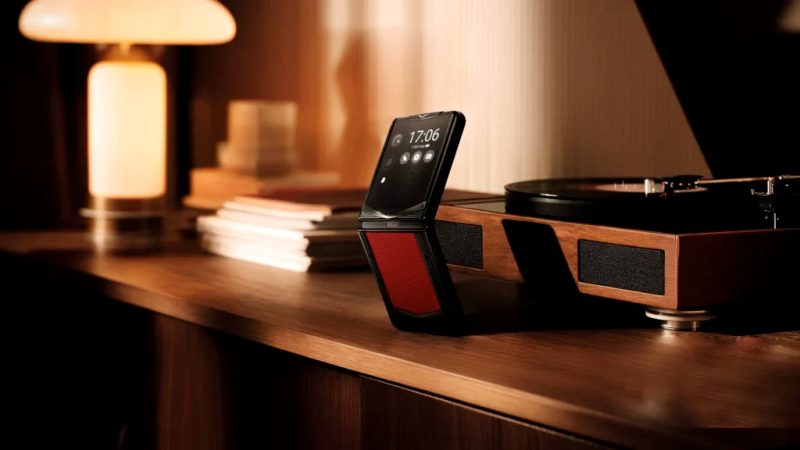
- VERTU Quantum Flip This luxury phone uses advanced encryption for privacy. It has premium materials and a privacy chip for secure calls. You get special customer support and exclusive perks.
- Fairphone 5 This phone is privacy-focused and has modular hardware. It gets regular updates and lets you control app permissions. You get device encryption and biometric authentication. The open-source OS lets you check privacy features.
Tip: If you need a secure phone for tough places, try the Iridium 9575 Extreme. It has satellite connection and strong physical security.
Key Features
You want to know what makes secure phones special. Here are the main privacy features and security rules for high-security phones:
The most secure smartphones use hardware kill switches, secure boot, device encryption, and biometric authentication. They protect you from hacking, phishing, and SIM swap attacks. You get regular updates and can control app permissions. Some phones, like the Bittium Tough Mobile 2C, have special security certificates. Most secure phones use both hardware and software for full protection.
Grapheneos on Google Pixel phones lets you control app permissions closely. You can block internet and sensor data for each app. You make user profiles and use a duress PIN to wipe data in emergencies. The OS makes the kernel stronger and removes Google services. You get verified boot, rollback protection, and strong defenses. Secure apps like Vanadium browser and Secure Camera limit permissions and remove extra data. Hardware like the Titan M2 chip and IOMMUs keep parts safe.
Purism Librem 5 is special with hardware kill switches and open-source design. You can turn off power to important parts. You use an OpenPGP card slot for safe messages. The modular design lets you upgrade parts and keep your phone longer. You get software support for life and secure boot.
Blackphone PRIVY 2.0 uses military-grade encryption for calls and texts. It always protects you and has tamper-proof hardware. SIM swap protection keeps your number safe. You use strong passwords and get updates for more privacy.
The most secure phone mixes privacy features, hardware security, and software protection. You pick a privacy-focused phone that fits your needs.
Which Phone Has the Best Privacy Protection
Standout Security Features
You want to find the phone with the best privacy. The most secure phones use hardware security and strong encryption. They also have advanced privacy controls. Phones like Bittium Tough Mobile 2C and Purism Librem 5 use hardware kill switches . These switches and secure boot help block threats. These phones protect you from hackers and spying. They give you privacy with tough build and tamper-proof systems.
Here is a table that shows hardware security in top phones :
| Phone Model | Hardware-Based Security Features | Certifications / Standards |
|---|---|---|
| Bittium Tough Mobile 2C | Secure boot, tamper-proof, dual boot OS, military-grade durability | CONFIDENTIAL level, NATO standards |
| Purism Librem 5 | Hardware kill switches for camera, mic, modem | Open-source OS |
| Katim R01 | Hardware encryption, shield mode, tamper protection | Not specified |
| Murena 2 | Hardware kill switches for camera, mic, connectivity | De-Googled Android (/e/OS) |
| Sirin Labs Finney U1 | Physically isolated cold storage wallet, security switch | Not specified |
| Samsung Galaxy S24 Ultra | Samsung Knox Matrix, end-to-end encryption | Software-focused |
| Google Pixel 9 Pro | Tensor G4 chip, hardware security layers | Not specified |
You can see that the best phones use hardware isolation and secure boot. The safest phones use tamper-proof design and dual OS.
Unique Privacy Technologies
You want strong privacy and safe ways to talk. High-security phones use special privacy tools to keep you safe. Hardware kill switches let you turn off the camera, mic, Wi-Fi, and Bluetooth. These switches cut power so apps cannot spy on you. Privacy chips help protect your messages with encryption and self-destruct features. Quantum-safe encryption keeps your data safe from future threats.
Some phones use AI to find threats fast and stop attacks. Advanced biometric authentication, like vein pattern checks, makes sure only you can unlock your phone. Secure apps use end-to-end encrypted calls and messages to keep your chats private.
The best phones for key management use cold storage wallets and physical switches. The safest phones for threat prevention use app sandboxing , regular updates, and strict app store rules. You get protection from phishing, malware , and people trying to steal your data.
Experts and lab tests help you pick the best privacy phone . Trusted sources say you should read reviews before buying a secure phone. You get strong encryption, safe communication, and privacy features that protect you from real threats.
Why Privacy Matters
Data Risks
Using a smartphone every day can be risky. Your phone keeps your photos, messages, and health records. If you do not protect your data, you might lose control of it. Hackers and criminals want to steal your information. Big companies like Allianz Life and Qantas had data leaks . Apple had problems with people getting past passcodes. Dating apps and money apps leaked pictures and bank info . These problems show why privacy is important .
Here are some common data risks you should know:
- Mobile malware and spyware can take your personal or work info.
- Phishing and smishing tricks can make you give away private data.
- Bad apps may ask for too many permissions and leak your info.
- Unsecured Wi-Fi lets attackers see your information.
- If you lose your phone or it gets stolen, others can get your data.
- Spyware can use your microphone and camera to watch you.
- Apps and networks can track where you go and what you do.
If you work in healthcare, you must keep patient data safe . Leaks of medical records can cause lawsuits and legal trouble. Laws now say you must protect health data on phones.
Surveillance Concerns
You might worry about who is watching what you do online. Many Americans feel nervous about government surveillance. Surveys say 71% of people fear spying could target political enemies or stop free speech. Almost half say they share less online because of these fears. Some people even change their messages so they are not watched.
You also have to think about companies tracking you. Apps and networks can collect your location , web history, and messages. Some malware can use your phone’s microphone and camera to spy on you, even if your phone is off. You need strong privacy features to keep your data safe.
Tip: Always check app permissions and use secure phones to help protect your privacy and data.
Best Smartphones for Privacy: What to Look For
Essential Security Features
When you pick a phone for privacy, look for tools that keep your data safe. Experts say you should check for special privacy settings. Here are the top security features to look for:
- End-to-end encryption keeps your messages secret. Only you and the person you talk to can read them.
- Secure operating systems block extra permissions. This lowers risks.
- Hardware isolation uses strong parts and secure boot. These stop hackers.
- Biometric authentication, like fingerprint or face unlock, adds more safety.
- Granular app permissions let you choose what each app can see.
- Regular security updates fix problems fast. They help keep your phone safe.
- Privacy-focused browsing tools and VPNs hide what you do online.
- Data encryption and secure storage protect your files and private info.
- Open-source software lets experts check for hidden dangers.
- Physical security features, like tough build, help stop damage and theft.
Tip: Always use strong passwords. Only download apps from trusted places to keep your phone safe.
Balancing Security and Usability
You want a secure phone, but it should be easy to use. Some privacy phones have strong encryption and special privacy tools. These might limit which apps you can use or make setup harder. Turning on two-factor authentication or using a screen lock can slow you down. But these steps help keep your data safe.
Here is a table to compare security and how easy features are to use:
| Feature | Security Level | Usability Impact |
|---|---|---|
| End-to-end encryption | Very High | Easy to use |
| Secure boot | High | No impact |
| Biometric authentication | High | Fast and simple |
| Hardware isolation | Very High | May limit app choices |
| Regular updates | High | Automatic, no hassle |
| Granular permissions | High | Needs setup |
Pick a secure phone that fits your privacy needs and daily life. If you want the best privacy phone, look for strong encryption, regular updates, and easy privacy tools . The most secure phone protects you without making things hard. Always check if the phone gives you both privacy and convenience.
Most Secure Phone Comparison Table
You want to know how the most secure smartphones stack up. This table helps you quickly compare the top 10 most secure phones for privacy and safety. It is a guide to help you pick the most secure phone for your needs.
Tip: Use this table to find which secure phone fits your privacy needs and daily life.
| Smartphone | Operating System / Software | Key Security Features | Privacy Controls & Features | Physical Security / Durability | Usability Notes |
|---|---|---|---|---|---|
| Vertu Metavertu Max | Custom Android + Privacy OS | Privacy chip, end-to-end encryption, AI threat detection | One-click data wipe, encrypted wallet | Ceramic, sapphire, luxury build | Luxury experience, seamless switching |
| Purism Librem 5 | PureOS (Linux-based) | Hardware kill switches, open-source, secure boot | Full user control, modular design | Hardware kill switches | Requires setup, lifetime support |
| Blackphone PRIVY 2.0 | Hardened Android | Military-grade encryption, SIM swap protection, secure boot | Encrypted calls/messages, app isolation | Tamper-resistant | Subscription for full features |
| Samsung Galaxy S24 Ultra | Android + Knox | Knox Matrix, malware scan, secure boot, theft detection | Biometric unlock, app permission control | Water/dust resistant | Regular updates, easy to use |
| Apple iPhone 16 Pro Max | iOS | Secure enclave, Face/Touch ID, end-to-end encryption | App Store only, Private Cloud Compute | Durable glass, biometric security | Frequent updates, user-friendly |
| Google Pixel 9 Pro (GrapheneOS) | GrapheneOS (hardened Android) | Titan M2 chip, verified boot, exploit defenses | Granular app permissions, duress PIN | Secure hardware layers | Advanced privacy, open-source |
| Bittium Tough Mobile 2C | Secure Android | Dual OS, AES-256 encryption, tamper-proof design | Physical privacy switch, app control | Military-grade durability | Certified for high security |
| Sirin Labs Finney U1 | Sirin OS (Android-based) | Blockchain security, encrypted storage, anti-tamper | Secure wallet, privacy switch | Shield Mode, strong build | Focus on digital assets |
| VERTU Quantum Flip | Custom Android | Advanced encryption, privacy chip, secure calls | Exclusive support, encrypted messaging | Premium materials | Luxury, privacy-focused |
| Fairphone 5 | Multiple OS options | Modular hardware, tracker detection, device encryption | App privacy ratings, open-source | Replaceable parts, durable | Eco-friendly, regular updates |
Each most secure phone uses different privacy controls and security tools. Some secure phones, like the Vertu Metavertu Max, are fancy and have special privacy chips. Others, like the Purism Librem 5, let you control everything with open-source software and hardware kill switches. The most secure smartphones often mix strong encryption, regular updates, and simple privacy tools.
If you want the most secure phone, look for things like hardware isolation, secure boot, and encrypted messaging. Phones like the Bittium Tough Mobile 2C and Blackphone PRIVY 2.0 have military-grade security and tamper-proof builds. Popular phones like the iPhone 16 Pro Max and Samsung Galaxy S24 Ultra give you lots of updates and strong biometric security.
Picking the most secure phone means thinking about which security features are most important to you. Use this table to compare the most secure smartphones and find the secure phone that matches your lifestyle.
How We Chose the Most Secure Smartphones
Selection Criteria
You might wonder how we picked the safest phones . We used clear rules to choose each secure phone. Every phone had to meet high standards for privacy and safety. Here is what we checked:
- Strong privacy tools like end-to-end encryption and secure boot.
- Regular updates to fix problems quickly.
- Biometric locks for extra safety.
- Device encryption keeps your data safe if lost.
- Hardware security, like privacy chips or kill switches.
- Open-source software lets people check for problems.
- App permissions let you control what apps can see.
- Secure payment options and digital wallets.
- Tough builds and water resistance for physical safety.
- Easy privacy settings and simple controls.
We also looked at how each phone handles privacy and user actions. Phones like the Purism Librem 5 are special. They use open-source OS, hardware kill switches, and focus on security. We made sure every phone on this list gives you tools to protect your privacy.
Here is a table with the main things we checked:
| Category | Key Evaluation Criteria Examples |
|---|---|
| Authentication & Authorization | Password strength, biometric unlock, account lockout after failed attempts |
| Access Management | User control over data access, emergency access, data sharing controls |
| Security | Secure connections, remote data wipe, malware protection, incident management |
| Data Storage | Local vs. cloud storage, secure backup, recovery procedures |
| Integrity | Data accuracy and consistency |
| Encryption & Decryption | Strong encryption for data in transit and at rest |
| Privacy Policy & Content | Clear privacy policies, user rights, data profiling disclosures |
Evaluation Process
You deserve a phone that really keeps you safe. We used a careful process to make our list fair. We asked 105 questions about each phone. These questions covered privacy, security, and how easy the phone is to use. Experts rated each phone after special training. They had to agree with each other to keep things fair.
We also used AI tools to help gather and check data. These tools made sure every phone got the same review. Experts worked together and shared ideas to make the process better. This way, you get a list of secure phones you can trust.
Our method puts your privacy first. We focus on keeping your data safe and giving you control. You can trust that every phone on this list meets the highest standards for mobile security.
Privacy Tips for Any Smartphone
Best Practices
You can keep your privacy safe by using smart habits. Experts say these steps help protect your data and phone:
- Only get apps from official app stores . This helps you avoid bad apps.
- Make a special passcode or lock for your phone. Bosses may need to unlock work phones.
- Turn on auto-updates for your apps and software. Updates fix problems quickly.
- Put anti-malware apps on your phone. These apps stop bad software and help find lost phones.
- Do not use personal accounts or numbers on work phones. This keeps your info private and work data safe.
- Use a VPN when you use public WiFi. VPNs hide your data and keep it safe.
- Only save important data in the cloud if it is encrypted and you control who sees it.
- Delete private messages from your phone and cloud as soon as you can.
- Keep work and personal data apart. Use special work profiles or accounts for work.
- Never let people who should not use your phone have it.
- Wipe your phone with a factory reset before selling or giving it away.
- Turn off location in camera apps so your photos do not save where you are.
- Use work phone numbers or VoIP apps to keep your real number secret.
- Always follow your company’s rules about phone privacy.
Tip: Use end-to-end encryption for calls and messages. This keeps your chats and calls private.
Recommended Apps
You can use special apps to make your phone safer. These apps help protect your data and keep your chats safe.
- Firefox with security add-ons lets you browse in private.
- ProtonMail keeps your emails safe with end-to-end encryption.
- Signal gives you private messages with strong encryption.
- Standard Notes locks your notes with strong protection.
- Wire has safe messaging trusted by many experts.
- Brave Browser blocks trackers for private browsing.
- GrapheneOS makes Android phones more private.
Here is a table of privacy apps experts suggest :
| App Name | Privacy Features & Expert Endorsements |
|---|---|
| Avira Vault | Keeps passwords, cards, photos, and videos safe; uses fingerprint or PIN; private browsing; stops malware |
| Lookout | Warns you about threats, protects from theft, checks Wi-Fi, watches for identity problems |
| Wickr Me | Sends private messages that delete themselves; does not save extra info |
| NordVPN | Uses strong encryption; does not keep logs; has a kill switch; protects on public Wi-Fi |
| Tresorit | Stores files with end-to-end encryption; only you can see them; works offline |
| DuckDuckGo | Blocks ads that track you; gives privacy scores; clears data fast; locks with fingerprint |
| Prey Anti-Theft | Tracks your phone; takes photos remotely; hides as another app; sounds an alarm with a message |
Note: Using these apps helps you build strong privacy and keeps your chats and data safe every day.
Picking the most secure phone in 2025 helps you keep your privacy safe every day. You get strong security features that protect your data. The most secure phone has SIM swap protection and gets regular updates. It uses open-source software so you can see how it works. A secure phone helps you avoid tracking and keeps your data private. You also get more control over your personal information and stay anonymous.
- The most secure phone stops targeted attacks and keeps your online privacy strong.
- You get better security with secure phone numbers and encrypted messages.
- Regular updates fix new problems quickly on your secure phone.
- You can read security blogs and follow groups to learn about new threats.
- Using a secure phone with AI security tools helps you spot scams and protect your data.
The most secure phone helps you balance privacy and easy use. You stay safe from threats and keep your security strong. Learn about new security features and use your secure phone smartly.
FAQ
What makes a phone secure for privacy?
A secure phone uses encryption to keep your data safe. It gets updates often to fix problems. Hardware security helps block hackers. You can pick which apps see your info. Using strong passwords also keeps your phone safe.
Can you use regular apps on secure phones?
Most secure phones let you use popular apps. Some privacy phones limit which apps you can get. Always check if your favorite apps work before you buy one.
How do hardware kill switches protect you?
Hardware kill switches let you turn off the camera or mic. You can also turn off Wi-Fi or Bluetooth. This stops apps from spying on you. You control these with a simple switch.
Do luxury secure phones offer better privacy?
Luxury secure phones, like Vertu Metavertu Max, have special privacy chips. They use strong encryption and fancy materials. These phones mix style with strong privacy tools.
How often should you update your secure phone?
You should update your phone when new updates come out. Updates fix problems and keep your data safe. Turn on auto-updates for the best protection.