Hardware vs. Software Security Which Offers Superior Protection for Your Android Phone? A Deep Dive
 Your Android phone is more than a communication device—it's a digital vault for your financial data, private conversations, and personal memories. As cyber threats grow more sophisticated, the invisible shields protecting this information are more critical than ever. But are your current defenses truly up to the task?
This escalating battle for data security brings a fundamental debate to the forefront: hardware vs. software security. Understanding the distinct roles these two layers play is the first step toward building a robust defense. This is crucial for navigating today’s advanced attacks effectively.
This deep dive will dissect the core functions, strengths, and weaknesses of both security types. We will explore their effectiveness against modern threats. Our goal is to provide the clarity you need to fortify your Android device for the challenges ahead.
A Multi-Layered Defense: How Hardware and Software Work Together
The debate over hardware vs. software security isn't about choosing one over the other. The most robust protection comes from a deep integration of both. This creates a multi-layered defense system where each component plays a critical and distinct role.
Understanding Hardware Security
Hardware security leverages physical components to protect sensitive data at its very root. Elements like secure enclaves and Trusted Execution Environments (TEEs) are now standard. They are common in high-security devices for this reason.
Android phones with dedicated security chips like Titan provide enhanced protection beyond standard OS implementations. These chips create an isolated environment for critical processes and data. This makes them inherently more resistant to software-based attacks that could compromise the main operating system.
The Role of Software Security
Software security encompasses a wide range of solutions that operate within the Android OS. These include antivirus apps, firewalls, and regular security updates. They are all designed to detect and neutralize threats as they appear.
Advanced solutions also focus on application integrity. For instance, tools like CodeSign Secure ensure superior software safety by verifying mobile app packages (APKs). This process prevents tampering before an app is installed, offering a broad, adaptable layer of defense.
Key Differences and Synergies
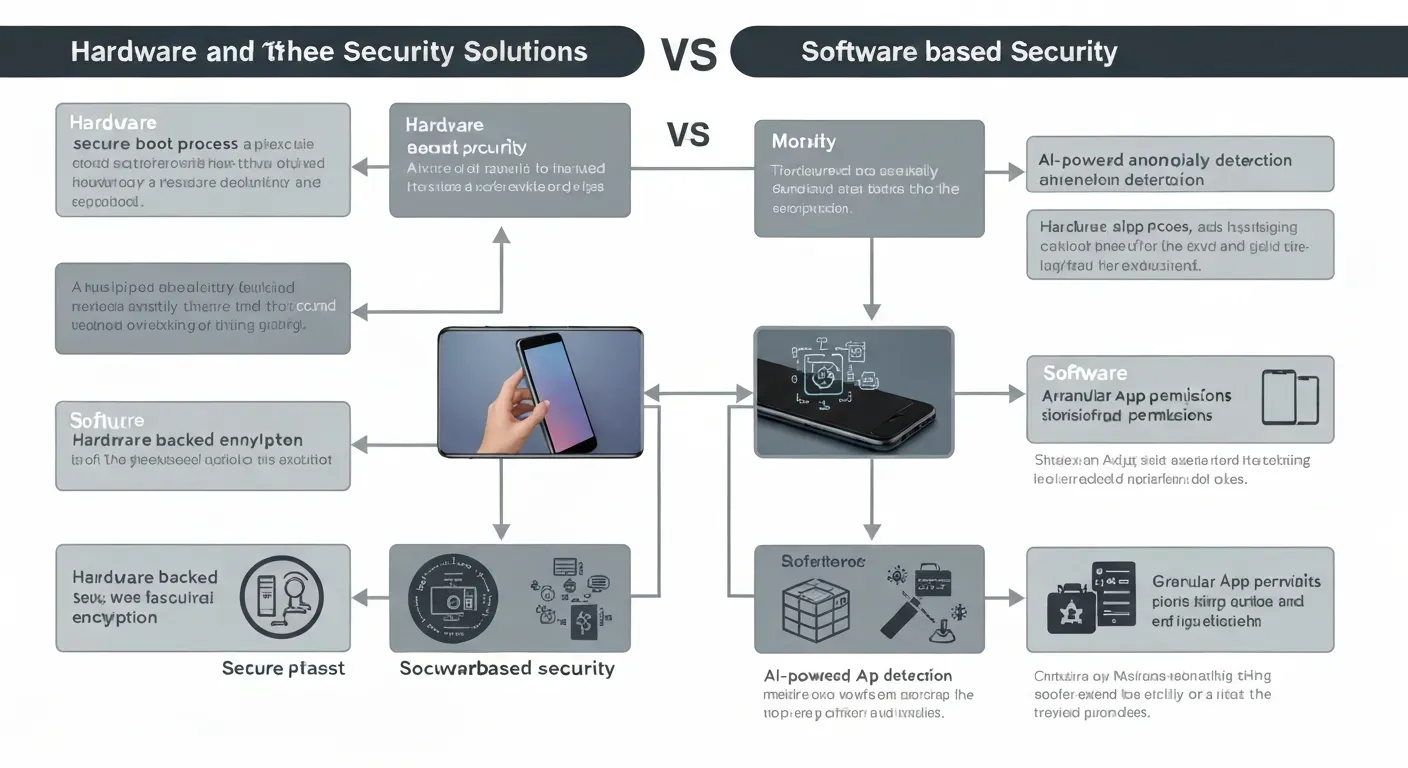
Hardware security provides a foundational, tamper-resistant layer. In contrast, software security offers dynamic protection against a wider array of threats. Think of hardware as a secure vault and software as the vigilant guards protecting it.
The most robust security comes from their synergistic combination. One cannot fully compensate for the absence of the other in a modern threat environment. A layered approach is the only way to ensure comprehensive device protection.
| Aspect | Hardware Security (e.g., Titan Chip) | Software Security (e.g., CodeSign Secure) |
|---|---|---|
| Layer | Foundational (Physical Chip) | Application & OS Layer |
| Focus | Data & Process Isolation | Threat Detection & Prevention |
| Defense Type | Proactive, physical barrier | Reactive & Proactive, adaptable |
| Updateability | Infrequent (Firmware) | Frequent (App/Definition Updates) |
Choosing the Right Protection for Your Android
The question of hardware vs. software security is more relevant than ever. While both are critical, they serve distinct and complementary roles in safeguarding your digital life. The best defense is understanding how they work together, not choosing one over the other.
| Security Layer | Primary Role | Key Examples |
|---|---|---|
| Hardware Security | Protects core secrets in physical isolation | Titan security chips, Secure Enclaves |
| Software Security | Provides real-time threat detection & control | Antivirus apps, App signing (CodeSign Secure) |
When Hardware Security Excels
Hardware security is superior for protecting your most critical digital assets. Dedicated security chips create a physically isolated vault. This vault is separate from the main Android operating system, providing a strong root of trust.
This isolation makes them highly resistant to software-based attacks. Critical data such as cryptographic keys and biometric information reside within this secure environment. Devices with Titan security chips exemplify this, offering protection that software alone cannot match.
When Software Security is Crucial
Software security is your device’s active, front-line defense against daily threats. It is essential for real-time threat detection and neutralization. It identifies malware, ransomware, and phishing attacks before they can cause harm.
This layer also manages application permissions, giving you granular control over app data access. Furthermore, software integrity is vital. Solutions like CodeSign Secure ensure applications are authentic by verifying their digital signatures, a key defense against malicious code.
A Layered Approach for Ultimate Protection
The ultimate protection for your Android phone involves a layered security strategy. Hardware security establishes a trusted foundation, locking down your device’s core identity. It provides a secure anchor that software can build upon for comprehensive defense.
At the same time, up-to-date software solutions provide vigilant, real-time protection. This is needed to navigate online threats safely. Together, they create a resilient shield against a wide spectrum of potential attacks.
FAQ (Frequently Asked Questions)
Q1: Can hardware security alone protect my Android phone?
A1: No. Hardware security provides a strong foundation but cannot adapt to new threats. It requires software security to detect and neutralize evolving malware, phishing, and other dynamic attacks that target the operating system and apps.
Q2: What is the main difference between hardware and software security?
A2: Hardware security uses physical chips (a vault) for core data isolation. Software security uses apps and updates (the guards) to actively detect and block a wide range of evolving digital threats on the device.
Q3: How can I check if my phone has strong hardware security?
A3: Check your phone's specifications for a dedicated security chip like a Titan M or a Trusted Execution Environment (TEE). These features indicate a physically isolated area for processing sensitive data, confirming robust hardware-level security.
Q4: What are the biggest software threats to Android phones today?
A4: The biggest software threats are sophisticated malware hidden in apps, advanced phishing schemes, and zero-day exploits. Unverified apps and delayed OS updates significantly increase your device's vulnerability to these common and dangerous attacks.
خاتمة
The debate over hardware vs. software security reveals a crucial truth: the strongest defense is a powerful partnership. Hardware provides the unchangeable, physical foundation for security, like a vault. Software offers a dynamic, adaptable layer of protection, acting as the vigilant guard.
To achieve this integrated defense, prioritize devices with robust hardware-level security features like a dedicated chip. Maintain a vigilant software posture by consistently updating your operating system and apps. This combination creates a comprehensive and resilient shield for your digital life.
Fortify your digital world today. When choosing your next Android device, research its hardware security features and commit to a routine of timely software updates. Take control of your security by making informed, holistic decisions to protect your most valuable data.