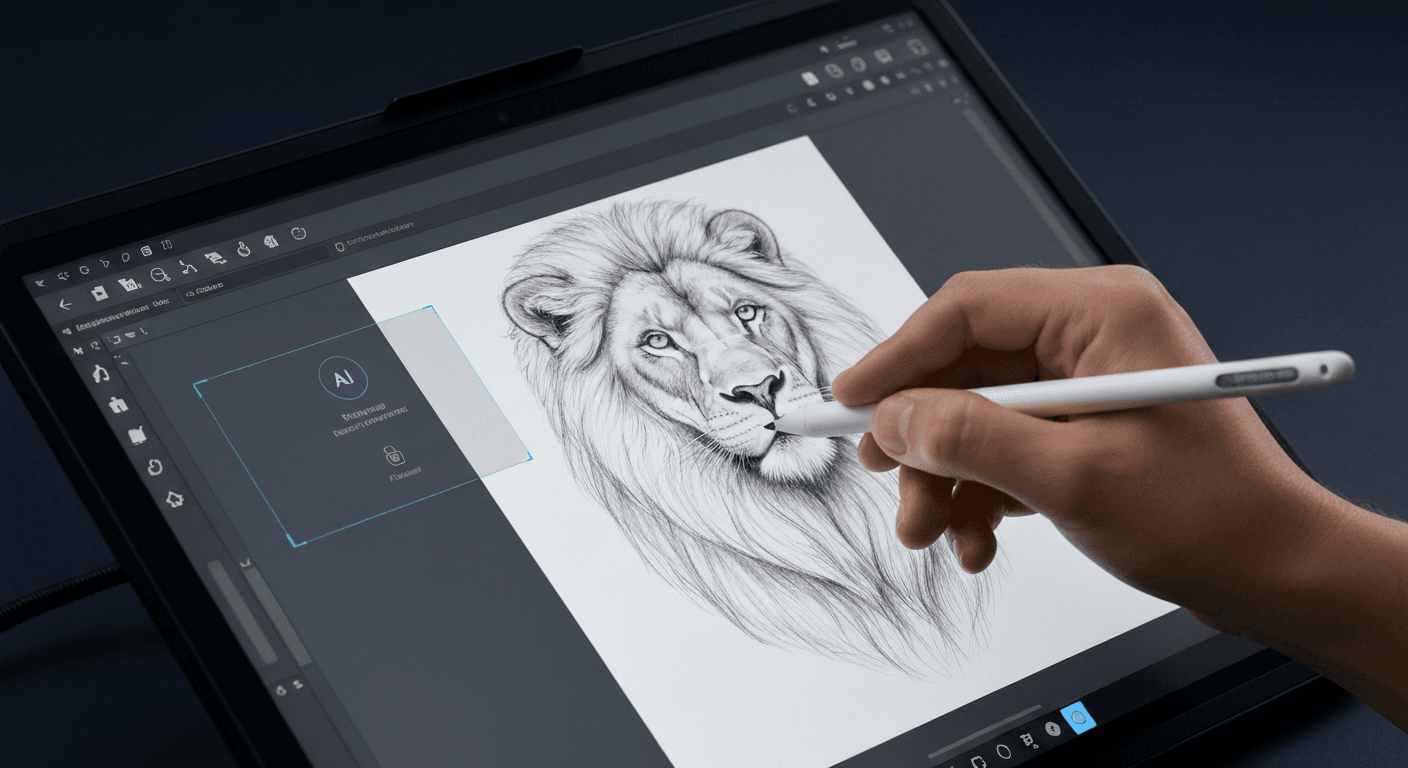
 Imagine stepping into a digital studio where your creative potential is limitless. You are unconstrained by pixelation or tedious manual corrections. In the competitive digital art landscape of 2026, relying on traditional editing can leave you behind.
To stay ahead, you need tools that evolve as quickly as your imagination. This is where a sophisticated AI drawing enhancer becomes your most valuable asset. It completely transforms how you approach every single project.
These advanced systems have shifted from interesting novelties to absolute necessities. They allow you to focus purely on your unique artistic vision. By automating technical tasks, they remove barriers for professionals and hobbyists alike.
Are you ready to revolutionize your daily workflow? We will explore the essential features that make these tools indispensable. Let’s dive into the top capabilities every modern artist needs to succeed in 2026.
Top 10 AI Drawing Enhancer Features for Artists in 2026
The toolkit available to creatives has expanded exponentially. Artists no longer need to discard rough sketches or low-resolution concepts. An AI drawing enhancer has become an essential asset for everyone.
These tools transform imperfect inputs into polished, professional visuals. They leverage advanced algorithms to upscale, denoise, and refine imagery. This allows artists to focus on creativity rather than technical limitations.
1. VideoProc Converter AI: Comprehensive Enhancement Suite
VideoProc Converter AI stands out as a robust solution for suboptimal source materials. It excels in enhancing grainy, low-light, and over-compressed JPEGs. These are common issues when digitizing physical sketches or working with older files.
The software effectively smooths out noise while sharpening intricate details. This ensures the essence of the original artwork is preserved. It is a vital tool for maintaining artistic integrity during enhancement.
This tool also offers powerful upscaling capabilities. It can boost resolutions up to 4K and even 10K. Its feature set includes specialized tools for face restoration and blemish fixing.
Additionally, it can colorize black-and-white images. This breathes new life into monochromatic sketches. With offline functionality, it supports high-volume professional workflows without internet connectivity.
2. HitPaw FotorPea: Versatile AI Photo Enhancement
HitPaw FotorPea positions itself as an accessible AI drawing enhancer. It is designed to meet a wide range of artistic needs. It utilizes multiple distinct AI models tailored to specific tasks.
These tasks include fixing blurriness or restoring aged images. This versatility makes it a go-to choice for various subjects. It handles detailed portraits, expansive landscapes, and complex AI-generated art pieces.
The user experience is prioritized through a user-friendly interface. Artists can navigate the features intuitively. This makes it easy to apply sophisticated corrections without a steep learning curve.
HitPaw offers a free trial to ensure user confidence. Creatives can test the software's capabilities on their specific projects. This allows for risk-free evaluation before committing to a purchase.
3. Luminar Neo: Studio-Quality AI Upscaling
Luminar Neo empowers artists with studio-quality results. It uses advanced AI-powered image upscaling technology. It goes beyond simple resolution increases by offering precise aesthetic control.
Users can fine-tune tone, color, and warmth. This ensures the enhanced image aligns perfectly with their artistic vision. It is more than just a sharper version of the original.
The interface is designed to be intuitive. It streamlines the editing process for professionals and hobbyists alike. Luminar Neo combines powerful algorithms with creative flexibility.
The software also provides flexible pricing options. It accommodates different budget levels. This delivers top-tier performance for high-stakes artistic projects.
4. LetsEnhance: Resolution Boost and AI Art Creation
LetsEnhance is a powerful web-based platform. It is known for significantly improving image quality. It specializes in increasing resolution and sharpening blurry photos.
This is critical for printing digital art or preparing assets for high-definition displays. The platform's algorithms reconstruct missing details. It is a reliable AI drawing enhancer for upscaling drafts.
LetsEnhance also offers AI art creation capabilities. Users can generate new visuals alongside editing existing ones. The service boasts fast processing times for efficient workflows.
Pricing is scalable to fit various needs. Plans start at an accessible rate of $9 per month. This makes it an attractive option for freelancers and independent creators.
| Feature | VideoProc Converter AI | HitPaw FotorPea | Luminar Neo | LetsEnhance |
|---|---|---|---|---|
| Primary Strength | 4K/10K Upscaling & Restoration | Versatile Multi-Model Fixing | Precise Tone & Color Control | Speed & Art Generation |
| Specialty | B&W Colorization, Batch Processing | Portraits & Landscapes | Studio-Quality Aesthetics | Sharpening Blurry Photos |
| Platform Type | Desktop (Offline capable) | Desktop Software | Desktop Software | Web-based |
| Pricing Model | License based | Paid (Free Trial) | Flexible Options | Subscription (Starts $9/mo) |
5. Phot.AI: All-in-One Image Editing and Generation
Phot.AI provides a comprehensive web-based platform. It integrates a full suite of editing tools. It features a dedicated Photo Enhancer alongside utilities for object removal.
Artists can clean up their compositions effortlessly. The platform also supports background editing. Users can isolate subjects or reimagine settings without manual masking.
Phot.AI includes AI image generation capabilities based on text prompts. This allows artists to expand their creative boundaries. Everything is contained within a single interface.
The platform is positioned at an accessible price point. Plans start at roughly $8.31 per month. It is a cost-effective solution for editing and generation.
6. Claid.AI: Specialized Product Photography Enhancement
Claid.AI is a straightforward AI drawing enhancer. It is optimized for product photography and commercial art. It features one-tap quality improvements that elevate visual appeal instantly.
Key functionalities include background blurring to emphasize the subject. It also offers automated color correction for accuracy. Blemish removal ensures a pristine look for commercial assets.
The tool is designed for efficiency. It helps artists and marketers prepare visuals quickly. Complex editing tasks are simplified into automated processes.
Claid.AI offers a free trial for new users. Paid subscriptions start at $9 per month. It is a budget-friendly option for e-commerce design.
7. AdCreative.AI: High-Resolution Social Media Visuals
AdCreative.AI focuses on generating high-resolution images. It is tailored for social media and product visuals. Its AI Image Upscaler ensures graphics look professional on mobile screens.
This tool is useful for digital artists creating marketing content. Visual fidelity correlates directly with engagement in these campaigns. The platform aims to boost the professionalism of visual assets.
It helps brands maintain a consistent high-quality aesthetic. Automating the upscaling process allows creators to focus on strategy. AdCreative.AI offers a free trial for new users.
Subscription plans start at $25 per month. This price reflects its commercial-grade capabilities. It is a strong choice for business-focused creators.
8. Dezgo: Intuitive Text-to-Image Editing
Dezgo offers a unique approach to enhancement. It functions as a text-to-picture AI art enhancer. Users can edit images via text prompts.
This introduces a novel way to interact with digital art. Features include upscaling and background removal controlled by natural language. It provides a highly creative and experimental workflow.
The platform is designed to be accessible. It offers its core features for free. An optional paid “Power Mode” is available for faster processing.
This freemium model makes Dezgo an excellent entry point. Artists can explore AI-assisted editing without financial commitment. It offers scalability for power users.
9. Imogen: One-Tap iPhone Enhancement
Imogen is an iPhone-exclusive AI drawing enhancer. It is tailored specifically for mobile-first creators. It provides one-tap improvements optimized for clarity and lighting.
This makes it ideal for artists using smartphones. It is perfect for sketches or portraits requiring immediate refinement. The tool emphasizes automation for speed.
Imogen also offers optional manual controls. Users can tweak the final output if desired. This balance ensures versatility on a mobile platform.
The service operates on a subscription model. It is priced at $14.99 per month. It targets users valuing high-end editing on mobile devices.
10. Fiverr: Human-Refined AI Editing Services
Fiverr offers a different approach to enhancement. It connects artists with professional editors who use AI tools. This blends AI efficiency with human artistry.
Artists can hire freelancers for retouching and color fixing. The final result benefits from algorithmic power and a human eye. This is ideal for complex projects requiring nuance.
Automated tools might miss specific artistic intent. Leveraging skilled professionals ensures bespoke results. Standalone software cannot always deliver this level of customization.
Services on the platform are accessible. Many professional gigs start at just $10. It offers a customized alternative to subscription software.
Choosing the Right AI Drawing Enhancer in 2026
Navigating creative software in 2026 can be overwhelming. There is a sheer volume of available tools. Selecting the ideal AI drawing enhancer requires careful consideration.
It is no longer just about raw processing power. You must find a solution that aligns with your workflow. The tool must meet your specific technical requirements.
Assessing Your Primary Needs
Start by strictly defining your primary objectives. Are you focused on upscaling low-resolution digital art? Perhaps you need to restore damaged vintage photographs.
A tool specialized for generating art may lack restoration algorithms. Identifying your core use case is essential. This ensures you do not pay for unnecessary features.
Interface and Usability
Consider the user interface carefully. Efficiency is paramount in any workflow. Opt for tools with designs that match your skill level.
Casual users benefit from streamlined, one-tap solutions. These automate the entire process quickly. Professionals usually require advanced control panels for granular adjustments.
Key Features and Integration
Look for specific features that enhance productivity. Determine if you require batch processing for large volumes. This is crucial for commercial projects.
Check for offline capabilities if data privacy is a concern. Look for seamless integration with other design tools. This helps streamline your production pipeline.
“The best tool is not always the most expensive one, but the one that fits your workflow without friction.”
Pricing and Value
Analyze the pricing structure carefully. Ensure you get a solid return on investment. Compare the flexibility of different payment models.
| Payment Model | Best For | Key Advantage | Potential Drawback |
|---|---|---|---|
| Monthly Subscription | Professionals | Continuous updates & cloud storage | Higher long-term cost |
| One-Time Payment | Hobbyists | Full ownership with no recurring fees | Paid major version upgrades |
| Pay-Per-Credit | Occasional Users | Cost-effective for low volume | Expensive for bulk processing |
| Free / Freemium | Testing | Zero financial risk | Watermarks or resolution limits |
Final Validation
Finally, never commit without validation. Read current user reviews to gauge reliability. Utilize free trials to test the AI drawing enhancer on your files.
This hands-on approach is the only way to ensure effectiveness. You must see how the tool handles your specific art style. Do this before making a purchase.
FAQ (Frequently Asked Questions)
Q1: What is the difference between an AI drawing enhancer and an AI art generator?
A1: Generators create entirely new images from scratch using text prompts or noise. Enhancers focus on refining, upscaling, and improving the quality of existing images. They serve distinct purposes in the creative workflow.
Q2: Will AI drawing enhancers replace human artists in 2026?
A2: No, these tools are designed to act as collaborators rather than replacements. They augment creativity by handling technical tasks like upscaling and noise reduction. This allows human artists to focus on their unique vision and skill.
Q3: How does an AI image upscaler technically work?
A3: Upscalers analyze existing image data and intelligently add pixels to increase resolution. This process sharpens details and reduces pixelation without significant quality loss. The result is high-fidelity output suitable for print or digital displays.
Q4: What are the main benefits of using an AI enhancer for digital art?
A4: They save significant time on manual edits and achieve professional-level quality instantly. Artists can restore damaged or low-resolution artwork efficiently. Furthermore, they allow for exploring new creative possibilities without technical hurdles.
خاتمة
The capabilities of a modern AI drawing enhancer have revolutionized creative workflows. From meticulous image restoration to boundless generation, these features offer indispensable value. Embracing these technologies is crucial for elevating your digital portfolio in 2026.
Selecting the right tool depends on your specific goals. You might need offline power, mobile convenience, or human refinement. Integrating the right solution ensures every pixel serves your vision.
Do not wait to transform your creative output. Start testing these tools today to witness immediate improvements in your visual results. Unleash your full imagination and take your masterpieces to the next level now.