 Have you ever captured a perfect moment, only to find the photo is blurry, grainy, or lacks the vibrant detail you remember? This common frustration can ruin cherished memories and undermine professional work. In the past, fixing these issues required complex software and expert skills, often with underwhelming results.
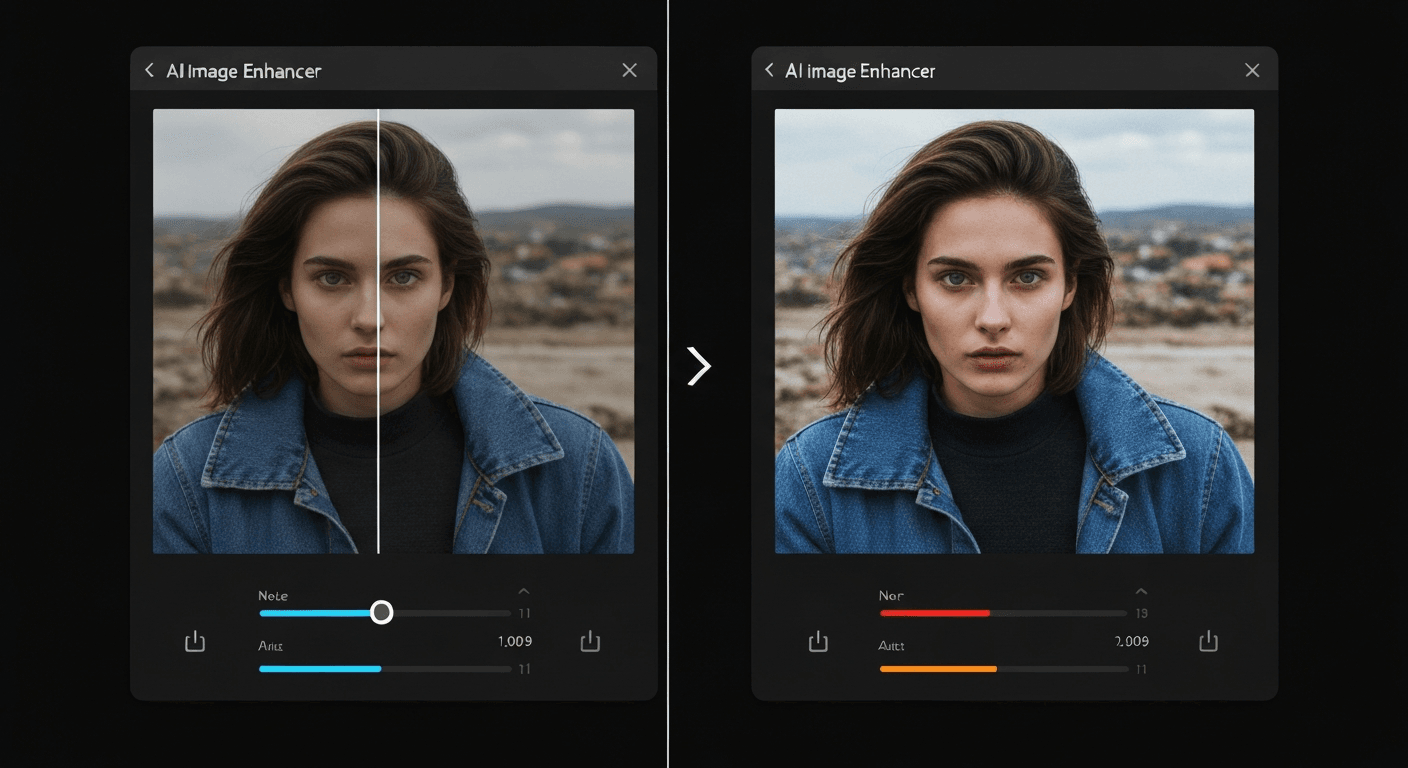
Today, the game has completely changed. The search for an AI image enhancer for realistic results is no longer a futuristic fantasy but a practical reality for everyone. These powerful tools use advanced algorithms to analyze and reconstruct your images with stunning clarity and lifelike detail.
This guide will explore the cutting-edge technologies that make photorealism possible. We will dive into the leading AI enhancers, compare their unique features, and provide key considerations for selecting the best solution for your needs. Get ready to transform your photos from mediocre to magnificent.
Top 7 AI Image Enhancers for Realistic Results
The demand for photorealistic image enhancement has soared. AI-powered tools are no longer just for simple edits; they are sophisticated engines capable of transforming amateur photos into professional-grade visuals. Whether for photo restoration, creative editing, or generating corporate headshots, choosing the right AI image enhancer for realistic results is crucial. This guide explores the top seven platforms leading the charge, each with unique strengths for specific needs.
1. VideoProc Converter AI
VideoProc Converter AI stands out as a powerhouse for photo restoration and significant quality improvements. It excels at reviving images that suffer from common issues like grain, low-light conditions, or heavy compression. Its AI-driven engine meticulously smooths noise while simultaneously sharpening essential details, breathing new life into old or imperfect photos.
A key feature is its Super Resolution capability, which can upscale images to stunning 4K or even 10K resolutions. This makes it an invaluable tool for photographers and archivists looking to prepare vintage photos for high-definition displays or large-format printing, ensuring every detail is preserved and enhanced.
2. Luminar Neo
Luminar Neo is designed for creators who seek both power and elegance in their workflow. It offers an exceptionally intuitive interface that doesn't compromise on sophisticated AI tools. The platform shines in its ability to make precise adjustments to tone and color, allowing users to achieve a specific mood or correct complex lighting issues with minimal effort. The result is consistently studio-quality enhanced images that exhibit a high degree of photorealism.
3. HitPaw FotorPea
HitPaw FotorPea’s strength lies in its versatility and intelligent design. It utilizes multiple specialized AI models, each trained to handle different types of images. Whether you are enhancing a portrait, a sweeping landscape, or a piece of AI-generated art, HitPaw FotorPea automatically applies the optimal enhancement algorithm. This targeted approach ensures that every photo receives the best possible treatment for realistic, context-aware improvements.
4. LetsEnhance
For those battling pixelation and blur, LetsEnhance is a focused and effective solution. Its primary mission is to improve image quality by intelligently increasing resolution and clarity. This AI image enhancer for realistic results is perfect for rescuing low-resolution photos downloaded from the web or taken with older cameras. Additionally, LetsEnhance offers AI art generation capabilities, providing a creative outlet for users who want to both enhance existing photos and create new visuals.
5. BetterPic
BetterPic has carved a niche as a premier AI headshot generator, dedicated to producing hyper-realistic, studio-quality portraits. It accomplishes this in a fraction of the time and cost of a traditional photoshoot. The platform offers extensive customization options, allowing users to select different clothing styles, backgrounds, and even fine-tune skin tones. This focus on detail ensures the final output is a photorealistic representation suitable for any professional profile.
6. Aragon AI
Aragon AI also specializes in generating professional AI headshots with a focus on realism. Its feature set is designed for effortless customization and a polished final product. With tools like a magic eraser to remove unwanted elements and a unique ‘Remix' feature, users can instantly change outfits and backgrounds to fit different professional contexts. Aragon AI guarantees a high-quality, realistic photo enhancement experience tailored for the modern professional.
7. Proshoot.co
Proshoot.co delivers professional AI headshots with a keen eye for authenticity. The platform specializes in recreating studio-like lighting and ensuring high face resemblance while maintaining natural skin tones. It successfully avoids the overly airbrushed look common in lesser tools. Offering versatile outfit changes and a wide selection of backgrounds, Proshoot.co provides a reliable solution for creating professional and photorealistic headshots.
| Tool | Primary Focus | Standout Feature | Best For |
|---|---|---|---|
| VideoProc Converter AI | Restoration & Upscaling | 10K Super Resolution | Reviving old or low-quality photos |
| Luminar Neo | Creative Editing | AI-driven Tone & Color | Artistic and professional photo editing |
| HitPaw FotorPea | Versatile Enhancement | Multiple AI Models | Context-aware improvements for any photo |
| LetsEnhance | Resolution Increase | Upscaling & AI Art Generation | Fixing blurry or pixelated images |
| BetterPic | AI Headshots | Extensive Customization | Creating hyper-realistic portraits |
| Aragon AI | Professional Headshots | ‘Remix' Tool & Magic Eraser | Corporate and personal branding |
| Proshoot.co | Authentic Headshots | Natural Lighting & Skin Tones | Professional and authentic portraits |
Key Factors for Achieving Realistic Results with AI Image Enhancers
The pursuit of photorealism in digital imagery is no longer about simple filters but about the sophisticated, AI-driven recreation of reality. An AI image enhancer for realistic outcomes now depends on a synergy of advanced algorithms, vast datasets, and intuitive user control. Understanding these core components is key to achieving believable, professional-grade enhancements.
Understanding AI Algorithms
Advanced AI algorithms are the engine of photorealism. They have moved far beyond basic upscaling or sharpening. Today's sophisticated models are trained to learn and replicate intricate details like the subtle texture of skin, the complex play of light and shadow, and even natural imperfections. This allows them to enhance an image by understanding its context, not just its pixels, resulting in a more authentic and visually pleasing final product.
The Role of Training Data
The intelligence of any AI is a direct reflection of its training. The quality and scope of the training data directly impact an AI's ability to generate photorealistic results. Datasets rich in high-resolution, varied imagery—spanning countless subjects, lighting conditions, and environments—enable AI tools to better understand and replicate real-world aesthetics. This foundation is crucial for improving image quality without creating an overly processed, artificial look.
Balancing Automation and Control
While AI tools automate many complex processes, the best enhancers offer a crucial balance between automation and user control. Professionals and enthusiasts need the ability to guide the enhancement process. Features like selective adjustments, fine-tuning parameters for noise reduction or color correction, and other AI editing software options empower users to steer the AI toward their desired realistic outcome, ensuring creative intent is preserved.
Specific Use Cases for Realism
Realistic photo enhancement is not a one-size-fits-all concept; its definition changes based on the application. For specialized tools, achieving realism means focusing on context-specific details.
| Use Case | Primary Goal for Realism | Key AI Focus | Example Tools |
|---|---|---|---|
| AI Headshots | Natural skin tones & professional lighting | Replicating human features, consistent lighting | BetterPic, Aragon AI |
| Photo Restoration | Accurate reconstruction of lost details | Denoising, colorization, detail inference | VideoProc Converter AI |
| AI Art Generation | Believable textures, shadows, and physics | Style consistency, texture synthesis | LetsEnhance |
Choosing the Best AI Image Enhancers for Your Needs
The landscape of AI-powered image enhancement is more powerful and diverse than ever. Selecting the right tool is crucial for achieving your desired outcome. The best choice depends on a careful balance of your technical skills, budget, and specific project goals.
Ease of Use vs. Advanced Features
Your technical skill level is a major consideration. For beginners or those needing quick results, tools like HitPaw FotorPea offer intuitive interfaces that simplify complex edits. The experience is designed to be seamless, allowing you to achieve impressive enhancements without a steep learning curve.
Conversely, professionals and artists seeking granular control will gravitate toward platforms like Luminar Neo. These advanced tools provide deep customization options, enabling precise adjustments to lighting, texture, and composition. This level of control is essential when using an AI image enhancer for realistic results that meet professional standards.
Cost and Accessibility
The accessibility of AI tools varies significantly. Many platforms offer freemium models or free trials, allowing you to test their capabilities before committing. For example, LetsEnhance provides a free tier to process a limited number of images. Others may require subscriptions or one-time purchases, so it's vital to evaluate the cost against the features offered and your intended usage.
Specific Needs: Upscaling, Restoration, or Generation
Determine your primary objective. Are you upscaling low-resolution images for print, restoring old family photos, or generating entirely new AI art? Different tools excel in specific areas. For instance, VideoProc Converter AI is an excellent choice for both upscaling and detailed photo restoration. In contrast, tools with AI art generators serve a completely different creative need.
The Human Touch in AI Enhancement
For the ultimate in realistic photo enhancement, a hybrid approach often yields the best results. Even the most advanced AI editing software can sometimes produce outputs that feel slightly unnatural. Services on platforms like Fiverr connect you with human editors who can refine AI-enhanced images, providing a final touch that guarantees a natural, polished, and high-quality photorealistic finish.
FAQ (Frequently Asked Questions)
Q1: What makes an AI image enhancer produce “realistic” results?
A1: Realistic results come from AI algorithms trained on vast datasets, enabling them to understand and replicate subtle details, lighting, and textures found in real-world images.
Q2: Can AI image enhancers fix very old or damaged photos?
A2: Yes, many AI enhancers excel at photo restoration, intelligently reconstructing lost details, removing noise, and colorizing black-and-white images to achieve lifelike clarity.
Q3: How do I choose the right AI image enhancer for my specific needs?
A3: Consider your technical skill, budget, and primary goal (upscaling, restoration, headshots). Test free trials to find a tool that balances ease of use with desired advanced features.
Q4: Is it possible to achieve photorealism without any manual editing after using AI?
A4: AI can achieve highly realistic results, but for professional-grade perfection, a final human touch or refinement might sometimes be beneficial to ensure a completely natural look.
خاتمة
AI technology has revolutionized photo editing, making it easier than ever to achieve stunningly lifelike enhancements. An AI image enhancer for realistic results can upscale, restore, and refine your images with incredible precision. Understanding these powerful tools is the first step toward transforming your visual content.
We encourage you to explore the AI image enhancers discussed in this article. Experiment with their unique features, from upscaling low-resolution files to restoring faded colors in old photographs. By testing different options, you can confidently identify the tool that best aligns with your creative and professional needs.
Don't wait to see the incredible difference AI can make. Select a tool and begin transforming your images with lifelike clarity and detail today.