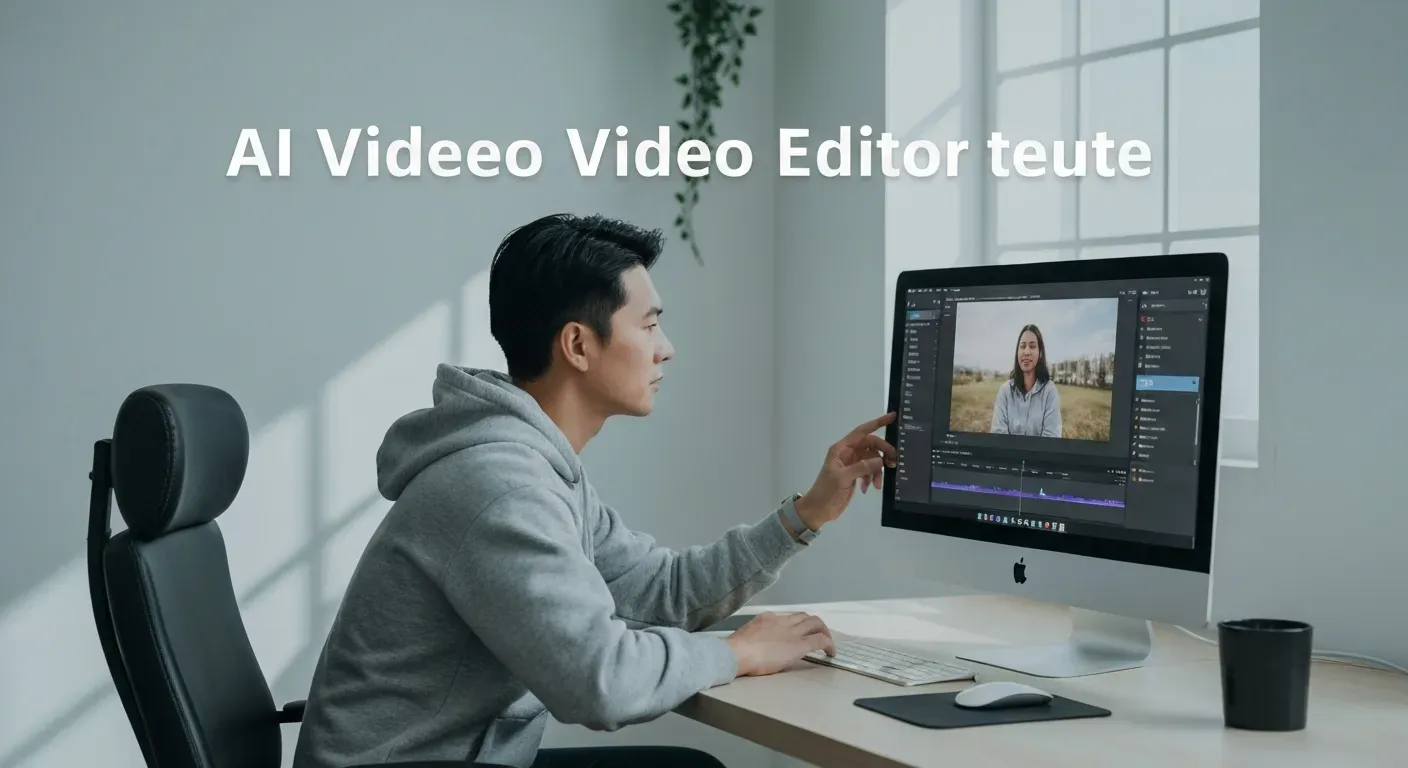
 Imagine staring at hours of shaky raw footage, wondering how to turn it into a captivating story before your deadline hits. For many creators, the editing process is the biggest bottleneck, often draining creativity and wasting valuable time. However, the landscape of digital content creation has shifted dramatically, finally making high-quality production accessible to everyone.
By leveraging a powerful ai vlog video editor, you can now automate tedious tasks like cutting silence, color grading, and adding captions in mere seconds. These advanced tools intelligently analyze your recordings to extract the most engaging moments automatically. This technological shift allows you to focus purely on storytelling rather than getting lost in complex timelines.
In this case study, we will walk you through the process of transforming simple clips into professional, viral-ready content using the latest AI technology available in 2026. You will discover the essential software and specific techniques designed to elevate your video production instantly. Let’s explore how to revolutionize your workflow and grow your social media reach effortlessly.
The Top 10 AI Vlog Video Editing Solutions for 2026
Vlogging demands speed and precision. Creators in 2026 require tools that streamline post-production workflows effectively. The right ai vlog video editor transforms raw footage into polished content efficiently. This section details ten powerful solutions, ranging from industry standards to automated AI tools.
1. DaVinci Resolve
DaVinci Resolve integrates professional color correction, visual effects (VFX), and audio post-production into one interface. Blackmagic Design includes the Fairlight audio page for precise sound mixing, making it a powerhouse for audio-visual excellence. The software features a node-based workflow for complex grading, preferred by high-end professionals.
The free version supports resolutions up to Ultra HD 3840 x 2160. Creators aiming for broadcast-quality visuals use these robust tools without a mandatory subscription. It handles multi-cam editing seamlessly, ensuring polished vlog production.
2. Adobe Premiere Pro
Adobe Premiere Pro operates as the industry standard for timeline-based editing. Users integrate projects directly with After Effects and Photoshop via the Creative Cloud ecosystem. This tight integration supports complex video production workflows that require custom graphics.
The software utilizes the Lumetri Color panel for detailed grading. Advanced timeline tools manage multi-track sequences efficiently, while it supports native file formats from ARRI, Canon, and Sony cameras without transcoding.
3. Final Cut Pro
Apple builds Final Cut Pro exclusively for Mac hardware. The software features a unique Magnetic Timeline, a tool designed to prevent clip collisions and sync problems during fluid editing sessions.
The Metal engine accelerates rendering on Apple Silicon chips, making it incredibly fast. Vloggers use this software for high-speed cutting and optimized performance. It also fully supports 360-degree video editing and HDR output.
4. VEGAS Pro
VEGAS Pro delivers a flexible workflow centered heavily on audio. It includes advanced audio mixing and compositing tools directly on the timeline. Users can customize the workspace layout to match their specific editing habits.
The software supports planar motion tracking and video stabilization. Creators needing a powerful environment for dynamic social media content utilize these adaptable features to keep viewers engaged.
5. CyberLink PowerDirector
CyberLink PowerDirector balances usability with automation. It features AI-powered tools like motion tracking and AI sky replacement. The software utilizes the TrueVelocity rendering engine for incredibly fast export times.
Beginners use these AI effects to simplify complex tasks that usually require hours of work. The interface supports drag-and-drop functionality for quick assembly, simplifying automatic video editing for novice vloggers.
| Software | Primary Strength | Platform | Pricing Model |
|---|---|---|---|
| DaVinci Resolve | Color Correction/VFX | Win/Mac/Linux | Free / Paid Studio |
| Adobe Premiere Pro | Creative Cloud Integration | Win/Mac | Subscription |
| Final Cut Pro | Magnetic Timeline | Mac Only | One-time Purchase |
| VEGAS Pro | Audio/Compositing | Windows | Subscription / Perpetual |
| PowerDirector | AI Motion Tracking | Win/Mac | Subscription / Perpetual |
6. Lightworks
Lightworks operates as a professional non-linear editing system with a history in feature film production. It offers robust media management, making it ideal for organizing large projects with extensive footage.
The free version exports video at 720p resolution. Budget-conscious vloggers use it for its advanced trimming tools. It supports wide format compatibility and console-based editing workflows for speed.
7. Shotcut
Shotcut functions as a free, open-source editor. It supports hundreds of audio and video formats via FFmpeg, meaning users can edit 4K resolutions natively without import delays.
The interface includes dockable panels for customized workflows. It offers features like webcam capture and audio capture. Intermediate editors use Shotcut for its format flexibility and zero-cost 4K support.
8. OpenShot
OpenShot targets beginners with a straightforward interface. It features a simple drag-and-drop system for quick clip arrangement. Uniquely, the software integrates with Blender to create 3D animated titles.
Users can add unlimited tracks for watermarks, background videos, and audio. It includes digital video effects like gamma, hue, and chroma key. This tool suits creators producing engaging vlog content with a minimal learning curve.
9. iMovie
iMovie provides a streamlined editing experience specifically for Apple users. It utilizes pre-built templates and themes to structure videos instantly. The software supports 4K video editing on both iOS and macOS devices.
Users can seamlessly transfer projects between iPhone, iPad, and Mac via AirDrop. Casual vloggers use iMovie to assemble clips quickly on the go. It removes the complexity of professional timelines for basic content creation.
10. AI Video Editing & Enhancement Tools
Dedicated AI tools accelerate post-production by automating labor-intensive tasks. These solutions handle footage enhancement, color balancing, and noise reduction automatically.
Tools like ChatGPT assist with scriptwriting and ideation, while AI music generators create royalty-free backing tracks instantly. These automated workflows speed up the video creation process significantly for faceless YouTube channels and viral hits.
Leveraging AI for a Seamless Content Creation Workflow in 2026
Content creators in 2026 use automation to compress production timelines drastically. An ai vlog video editor serves as the central engine, processing raw inputs into final deliverables. This technology reduces manual labor hours by automating repetitive tasks.
Creators can now focus on filming content while software handles the technical assembly. This shift allows for higher upload frequencies on platforms like YouTube and Instagram, which is crucial for growth.
AI-Powered Scripting and Storyboarding
AI tools analyze raw footage metadata to structure narratives. Algorithms scan video files, identify key events, and generate text-based scripts. This process removes the tedious need for manual logging.
Software generates visual storyboards from these scripts, outlining shot sequences before the edit begins. This streamlines pre-production for daily vlogging by providing a clear roadmap immediately after filming.
Automatic Video Editing and Enhancement
Modern tools assemble clips automatically. The software detects and removes silence, reducing total runtime without user input. It applies transitions between cuts to maintain visual continuity.
Algorithms cut footage based on motion and sound cues. This ensures a pace that optimizes viewer retention rates.
| Feature | Manual Editing | AI Automation |
|---|---|---|
| Silence Removal | Frame-by-frame cutting | Instant detection and deletion |
| Color Grading | Static adjustment layers | Scene-adaptive analysis |
| Music Sync | Manual beat matching | Auto-sync to audio peaks |
| Clip Selection | User review required | Motion and face detection |
AI for Engaging Visuals and Audio
Post-production software uses AI upscaling to convert 1080p footage to 4K resolution. Noise reduction algorithms clean up low-light grain without blurring edge details.
For audio, the system generates background music tailored to video length. It also creates synthetic voiceovers from text prompts. These features provide a complete toolkit for producing broadcast-standard content.
Workflow Note: By 2026, AI tools handle approximately 80% of the technical assembly, allowing editors to focus strictly on creative direction.
Building a Faceless YouTube Channel with AI Tools in 2026
Faceless YouTube channels represent a primary content trend in 2026. Creators share information and narratives without revealing their physical identities. This format prioritizes the message over the messenger. It provides a solution for vloggers who require privacy or lack professional camera equipment.
The Rise of Faceless Content
Audiences in 2026 consume content for utility and entertainment value. Viewers watch channels for specific niches like coding tutorials, history documentaries, or meditation guides. The creator's physical appearance remains irrelevant to the value provided.
This approach lowers entry barriers significantly. Creators produce videos without lighting setups or makeup. The channel grows based on the quality of information and storytelling structure alone.
AI Tools for Scripting and Narration
Automation software streamlines the production process. Large Language Models (LLMs) generate full scripts from simple topic prompts. Synthetic voice engines produce narration in multiple languages and tones, eliminating the need for expensive microphones.
An ai vlog video editor integrates these elements seamlessly. The software aligns the generated voiceover with the timeline automatically. It creates a cohesive narrative structure without manual splicing.
| Feature | Traditional Workflow | AI-Assisted Workflow |
|---|---|---|
| Scripting | Manual research and typing | AI generates drafts from keywords |
| Voiceover | Human recording session | Synthetic text-to-speech generation |
| Visuals | Sourcing stock footage manually | AI generates custom animations/clips |
| Editing | Manual frame-by-frame cuts | Automated sync and assembly |
Visual Storytelling Without On-Screen Presence
Visual assets drive engagement in the absence of a presenter. Creators rely on B-roll, motion graphics, and text overlays to convey messages. AI video tools generate unique animations and relevant stock footage based on the script's context.
“AI video creation tools assist in generating unique visual assets and animations to keep viewers engaged throughout the video.”
The screen displays dynamic graphics instead of a static talking head. Text overlays reinforce key data points. This technique forces the viewer to watch the video rather than just listen to the audio.
خاتمة
Faceless channels leverage AI to produce professional content. Tools generate scripts, voices, and visuals efficiently. This technology allows creators to focus on narrative construction. The result is a compelling video experience built entirely on synthetic media and strong storytelling.
FAQ (Frequently Asked Questions)
Q1: What is AI video editing?
A1: AI video editing uses machine learning to automate post-production tasks. An ai vlog video editor analyzes footage, identifies key moments, and applies enhancements like color correction and audio adjustments automatically. This significantly speeds up the workflow from raw footage to final output.
Q2: Can AI truly replace a human video editor?
A2: No, AI cannot fully replace human editors in 2026. It excels at automating repetitive tasks like silence removal and captioning. However, human creativity, emotional storytelling, and strategic narrative direction remain essential. AI acts as a powerful assistant, not a complete substitute.
Q3: Which AI editing tools are best for beginners in 2026?
A3: For beginners, CyberLink PowerDirector offers user-friendly automation templates. OpenShot provides free, open-source tools with basic automation features. Adobe Premiere Pro integrates AI tools within a professional editing suite, offering a good learning curve for those aiming for advanced skills.
Q4: How can AI help make vlogs go viral?
A4: AI accelerates content creation, enabling more frequent uploads. It optimizes video pacing for better viewer retention, a key factor for viral success. An ai vlog video editor can suggest edits that keep audiences engaged longer. Additionally, AI helps create compelling visuals and custom audio, boosting overall appeal.
Q5: Is AI video creation suitable for all types of vlogs?
A5: AI is most beneficial for informational, tutorial, or animation-focused vlogs that rely on structured data. Highly personal or emotionally driven vlogs often benefit more from traditional, human editing. Human editors can better capture nuanced pacing and sentimental storytelling.
*
In 2026, artificial intelligence has evolved from a distant futuristic concept into a tangible, essential force for content creators everywhere. By automating tedious cutting tasks and unlocking new creative potential, a robust ai vlog video editor empowers you to produce professional content efficiently. These innovative tools are truly revolutionizing the industry, ensuring that high-quality video production is achievable for every vlogger.
To capitalize on this technology, take the time to deeply explore the various AI editing tools mentioned throughout this article. You should actively experiment with their automated features to discover which specific functions best streamline your personal video production workflow. Integrating these intelligent solutions immediately will drastically enhance the quality and consistency of your social media content.
There is no better time to upgrade your skills, so start your AI-powered video editing journey today. By leveraging these advanced capabilities, you can effortlessly transform your raw footage into the engaging, viral hits that audiences crave in 2026. Embrace this exciting technological shift now and prepare to see your channel grow faster than ever before.