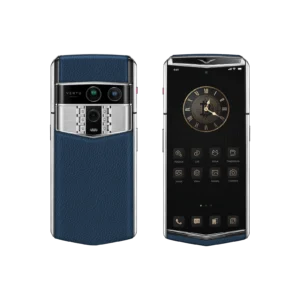
You might ask, how does the real-time translation feature work? Your smartphone or earbuds listen to what you say. The device changes your speech into text. Then, it uses smart AI to translate the words. It gives you the answer as sound or text in the language you pick. Samsung’s Live Translate utilizes AI to assist you in conversations during calls and in person. You choose the languages you want to use, making it much easier to communicate with people from other countries. New devices perform all of this very quickly, integrating powerful translation tools seamlessly into your daily life.
Key Takeaways
-
Real-time translation uses AI to change your speech into text. Then it quickly turns the text into another language.
-
Smartphones and earbuds work together for smooth translation. This lets you talk without using your hands.
-
To get the best results, speak clearly. Stay near your device to help it translate better.
-
Many devices can translate more than 40 languages. This helps you talk to people from other cultures.
-
Always make sure your translation tool keeps your data safe. This is very important when you use free apps.
How Does the Real-Time Translation Feature Work?

Speech and Text Input
If you wonder how real-time translation works, you start by talking or typing. Your smartphone or earbuds have special microphones. These microphones pick up your voice and block out noise. This helps the device hear you better. You can also type your message in a translation app. AirPods and Samsung earbuds work with your phone to hear your words during calls or chats.
Tip: Speak clearly and stay close to your device for the best translation.
Translation Process
After your device hears you, it uses artificial intelligence to figure out what you said. The system can tell different languages and accents apart. Then, the translation engine starts working. It uses smart machine learning, like neural machine translation, to change your words into another language. This happens fast, so you get the translation almost right away.
Here are the steps in a simple way:
-
The device hears your voice or reads your text.
-
It uses speech recognition to turn your words into text.
-
The translation engine checks the meaning and context.
-
The system changes your message into the language you want.
You might ask how real-time translation works on your favorite devices. Samsung’s Live Translate uses both your device and the cloud for fast and correct results. Apple’s AirPods send your voice to your iPhone, which uses translation apps to change your speech.
|
Step |
What Happens |
|---|---|
|
Capture |
Microphones pick up your speech or text |
|
Recognition |
AI turns speech into text and checks meaning |
|
Translation |
Machine learning changes your message |
|
Output |
Device gives you translated audio or text |
Output Delivery
When your message is translated, your device gives you the result. On smartphones, you can see the translated text or hear the voice. Earbuds like AirPods or Galaxy Buds play the translated voice in your ears. The phone does the hard work, and the earbuds act as speakers. For example, Samsung’s Live Translate lets you talk on calls, and your Galaxy Buds play the translated voice. AirPods Pro work with iPhones to make live translation easy during talks.
-
Maya uses AirPods Pro with her iPhone for easy translation in meetings.
-
Raj likes Galaxy Buds3 Pro with his Galaxy S24 Ultra for live translation on calls.
If you ask how real-time translation works, remember your phone does the translation, and your earbuds play the sound. This setup helps you talk to people in other languages quickly and easily.
Note: Earbuds do not translate by themselves. Your phone does the translation and sends the sound to your earbuds.
Now you know how real-time translation works from start to finish. You talk or type, your device translates, and you hear or read the answer. Live translation makes it much easier to talk to people from other countries.
Real-Time Translation Technologies
Speech Recognition
You begin by talking into your device. Speech recognition listens and turns your words into text. This first step is very important for good translation. New ai translation devices use smart models to understand what you say. They can also figure out your accent and what you mean. If your device hears you well, the translation is better.
-
Speech recognition changes what you say into written words.
-
This step is key for a good translation.
-
Neural models help devices know what you mean.
Machine Translation
After your words are text, machine translation starts. This uses smart systems to change your message into another language. There are different ways to do this, like rule-based, statistical, and neural machine translation. Neural systems are best for live translation because they learn from lots of data. Ai-generated translation devices use these systems for fast and correct results.
|
Device Name |
Key Features |
Number of Languages Supported |
Use Cases |
|---|---|---|---|
|
Bidirectional Simultaneous Translation, Offline Mode |
40 languages, 93 accents |
Business travelers |
|
|
Meta’s Ray-Ban Smart Glasses |
Live Language Translation, Visual Recognition |
English, French, Italian, Spanish |
Tech enthusiasts |
|
Samsung’s Interpreter Tool |
Device Integration, Offline Functionality |
Not specified |
Samsung device users |
Text-to-Speech
When the translation is ready, text-to-speech reads it out loud. You hear the message in a voice that sounds real. This makes live translation feel smooth and easy. The voice is clear and sounds like a real person. This helps you understand and answer fast.
Tip: Text-to-speech helps you talk by giving you a voice that sounds real.
Device Integration
Device integration links all the translation steps together. Your smartphone, earbuds, and ai translation devices work as a team. This lets you use translation without changing what you do. You get translation all the time and can work better.
|
Benefit |
الوصف |
|---|---|
|
Streamlined Global Reach |
Automated translation works with your tools. |
|
Continuous Localization |
Translation keeps going as you work. |
|
Talking to people in other languages gets easier. |
You can see how ai-generated translation devices use AI to make things faster and more correct. These systems learn and get better as you use them. Now, live translation is quick and helps you talk to anyone, anywhere.
User Experience and Device Integration

Using Translation on Smartphones
Translation apps help you talk to people in other languages. You open the app and pick the languages you need. You can speak or type your message into the app. The app listens and turns your words into text. Then, it translates your message for you. You see the translated words on your screen or hear them from your phone. This makes it easier to understand others. But you often have to hold your phone and tap buttons. Sometimes, this can stop your conversation and make it feel less smooth.
Using Translation on Earbuds
Earbuds make translation simple and let you use your hands. You wear the earbuds and talk like you always do. The earbuds hear your voice and send it to your phone. Your phone translates what you say. You hear the new message in your ear. You do not need to look at your screen or pause what you are doing. Earbuds help you talk back and forth more easily. You can focus on the person you are talking to. Many people like earbuds because they use their screens less and talk feels more natural.
Tip: Earbuds are great when you want to keep your hands free and pay attention to what is around you.
Supported Languages and Scenarios
You can use translation devices in many places. Travelers use them to talk to people and learn about new cultures. Workers in airports and busy places use translation to help people from other countries. In important jobs like aviation, clear talking is needed. Real-time translation helps stop mistakes and keeps everyone safe.
Most translation devices work with many languages. Here are some common ones:
-
English
-
Spanish
-
German
-
French
-
Hindi
-
Italian
-
Brazilian Portuguese
-
Chinese
-
Russian
-
Japanese
-
Korean
-
Arabic
-
Dutch
-
Greek
-
Turkish
-
Vietnamese
Smartphones and earbuds work together for better translation. You can also use other smart devices for more features. Wearables like the Meta Ring by VERTU show how technology is changing. The Meta Ring checks your health and looks cool, but it does not translate. It shows that devices are getting smarter and more personal.
Accuracy and Limitations
Factors Affecting Quality
You want your translation to be as correct as possible. Many things can change how well your device translates. The table below shows what matters most for accuracy:
|
Factor |
الوصف |
|---|---|
|
Proficiency of Translator |
The skill level and experience of the translator can greatly influence the accuracy of the translation. |
|
Context |
Understanding the context is crucial for accurate translations, especially with idiomatic expressions. |
|
Quality of Input Text |
Errors in the source text can lead to mistranslations; thus, the input text must be clear and correct. |
|
Training Data |
The effectiveness of machine translation systems depends on the quality and quantity of their training data. |
|
Audio Quality |
Clear audio input is essential for accurate real-time translation, as background noise can hinder understanding. |
|
Cultural Appropriateness |
Translations must consider cultural nuances to ensure they are appropriate for the target audience. |
|
Use of Translation Glossaries |
Custom glossaries help manage industry-specific terms, improving translation accuracy in real-time. |
You can get better results if you speak clearly and use good audio. Custom glossaries help with special words too.
Common Challenges
You might see some problems with real-time translation. Here are some common ones:
-
Loud sounds can make it hard for your device to hear you.
-
Sometimes, translation apps do not understand the whole meaning.
-
Built-in AI translation can make mistakes, especially in health topics.
-
Big language models can slow down the translation, which is not good for real-time use.
Tip: Try to use your device in quiet places for better accuracy.
Privacy and Data Security
You want your information to stay safe when you use translation tools. Many brands now use on-device AI to keep your data private. This means your device does the translation without sending your words to the cloud. Google’s on-device translation keeps your information safe. Some tools use end-to-end encryption and have special safety certificates. Free translation apps may not follow strict rules, so they might not be safe for important information.
|
Evidence |
الوصف |
|---|---|
|
On-device AI |
Ensures no data is shared for training purposes and is processed within the device, preventing unauthorized access. |
|
Google Translation |
On-device translation does not require sending text to the cloud, enhancing privacy. |
|
HIPAA Compliance |
Many free translation tools are not HIPAA-compliant, meaning they cannot be used for sensitive patient information due to lack of encryption and consent. |
You should always check if your translation tool keeps your data safe and private.
You can see how translation technology lets you talk to people from other countries. It helps you do business faster and makes talking easier. You can work better and meet new people in different ways.
-
Real-time tools help you talk even if you do not know the language.
-
Workers do their jobs faster and feel better.
-
Fast and correct messages save time and money.
|
Improvement Area |
الوصف |
|---|---|
|
Accuracy |
AI now knows what you mean, so translations sound more real. |
|
Speed |
Faster devices mean you do not have to wait to talk. |
|
User Experience |
Your data stays safe when you use translation features. |
You might see some problems, like not many languages or loud places making it hard to hear. Developers are always making these tools better. In the future, wearable tech will help you learn, travel, and work with people all over the world.
التعليمات
How many languages can real-time translation devices support?
Most devices work with more than 40 languages. Some popular ones are English, Spanish, Chinese, French, and Arabic. You can look in your device’s settings to see all the languages.
Do earbuds translate speech by themselves?
Earbuds cannot translate speech on their own. Your phone or tablet does the translation work. Earbuds only play the translated sound in your ear.
Is real-time translation fast enough for normal conversation?
You get translations almost right away. AI-powered devices change speech very quickly. You can talk and listen without waiting a long time.
Can you use real-time translation offline?
Some apps and devices let you use offline translation. You must download language packs before you use it. Offline mode is good for simple phrases and travel.
Is your data safe when you use translation features?
|
Feature |
Security Level |
|---|---|
|
On-device AI |
High |
|
Cloud-based |
Medium |
|
Free apps |
Low |
You should pick devices that keep your data private and safe.